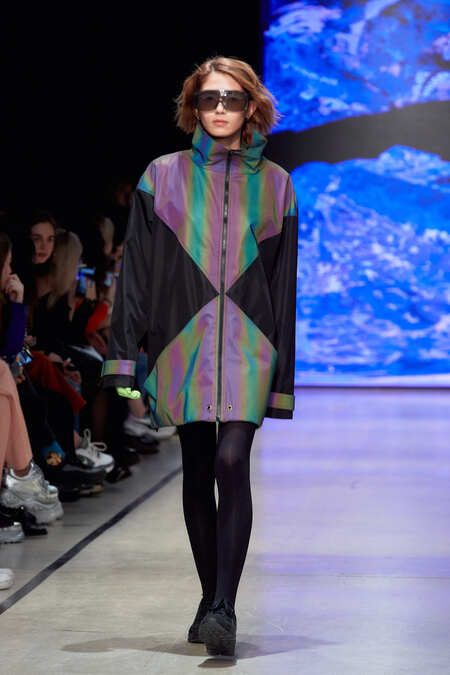
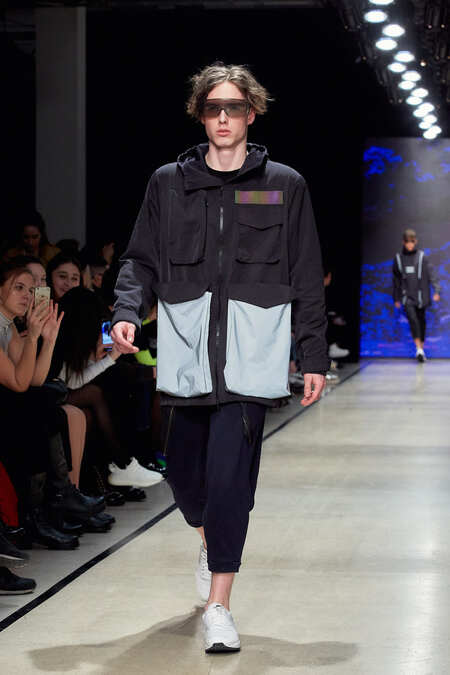
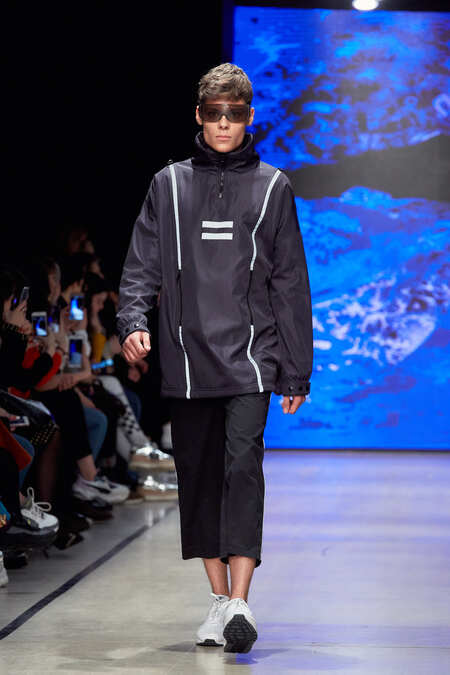
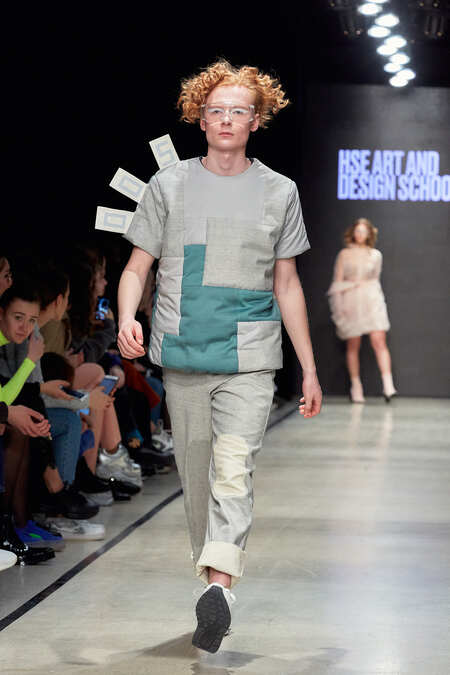
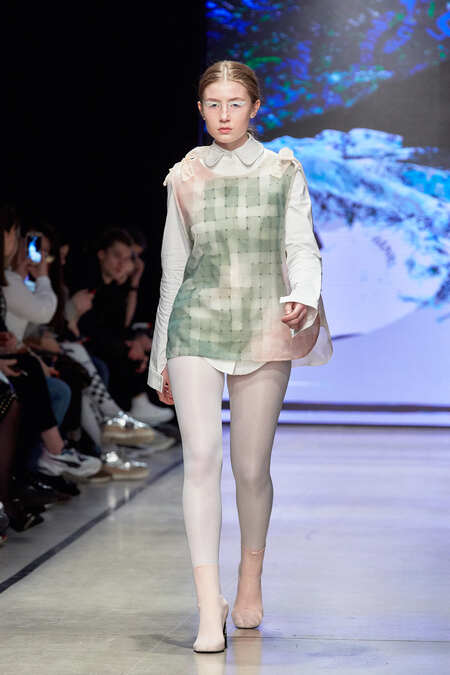
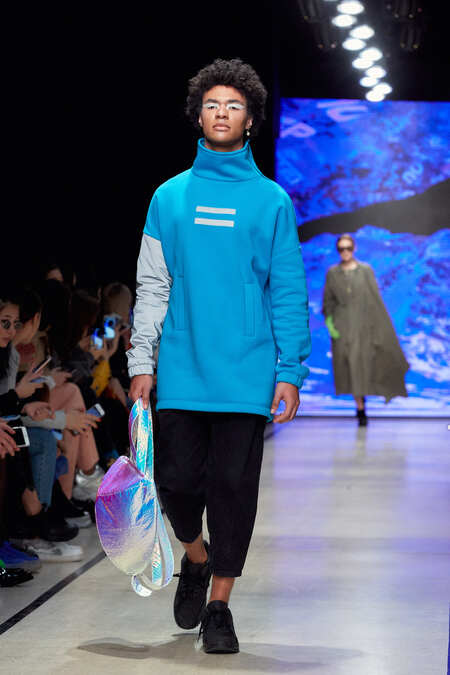
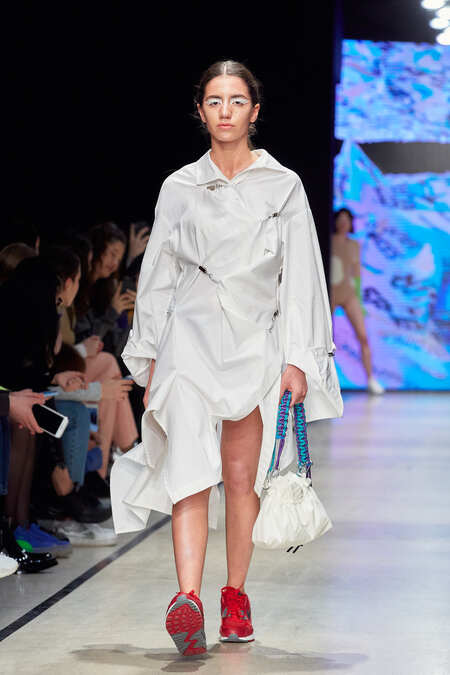
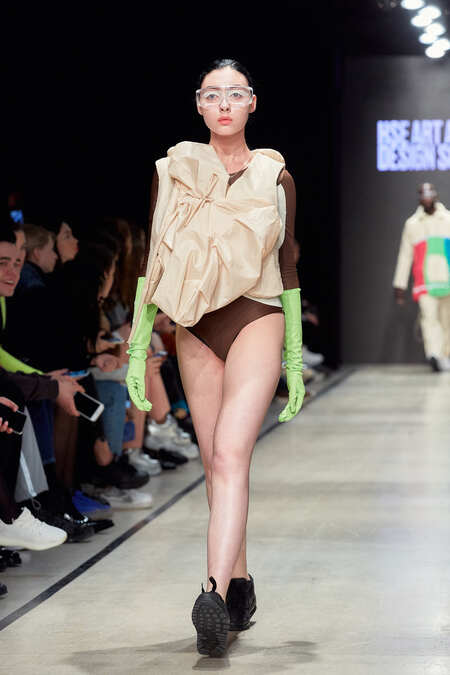
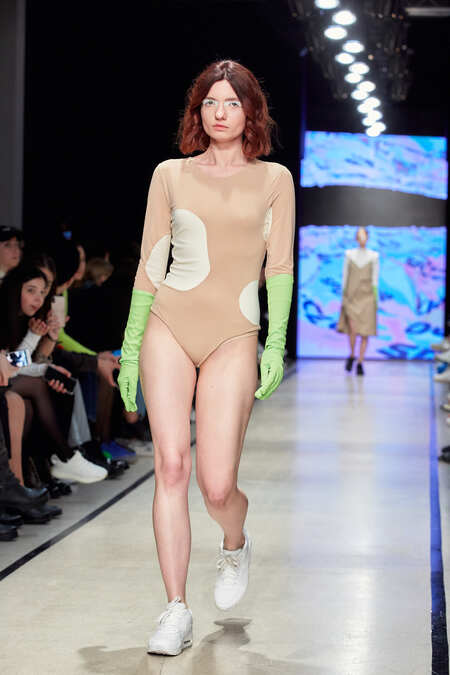
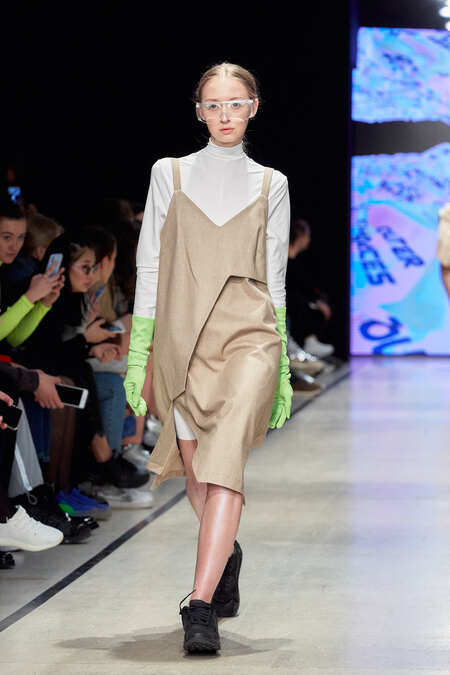
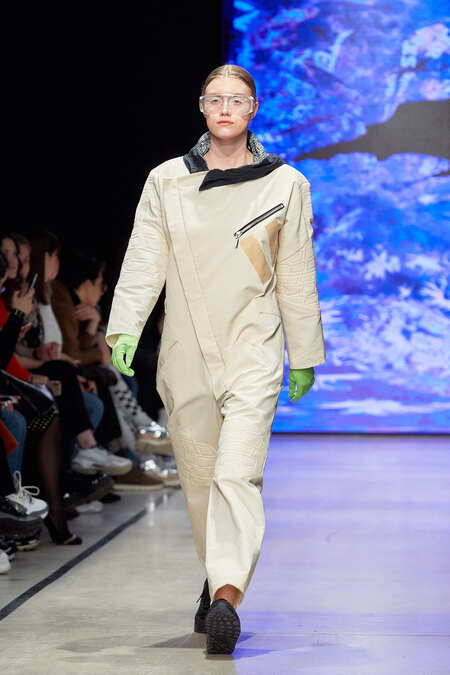
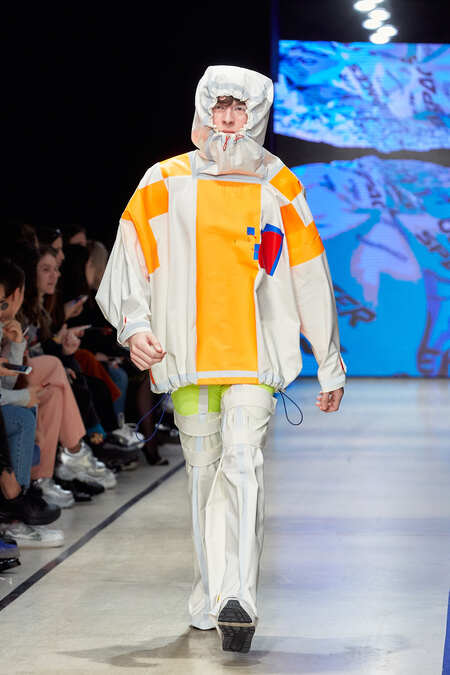
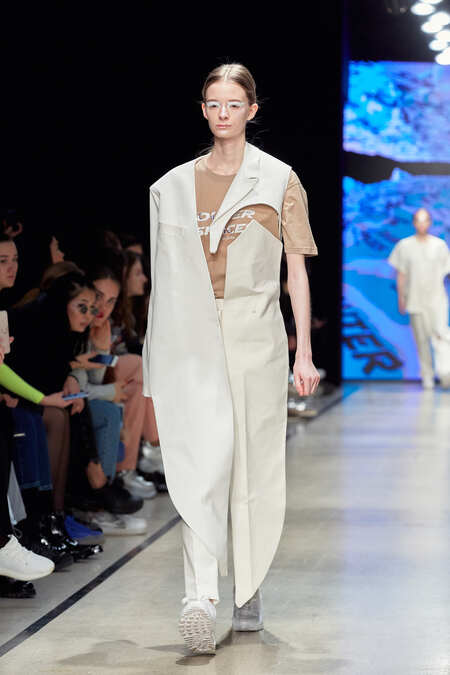
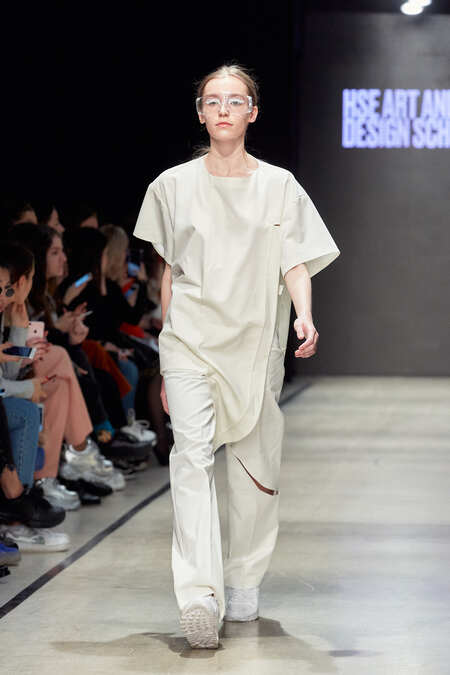
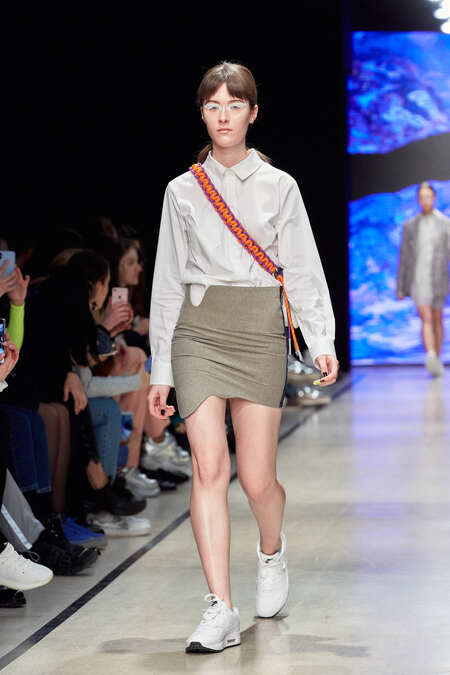
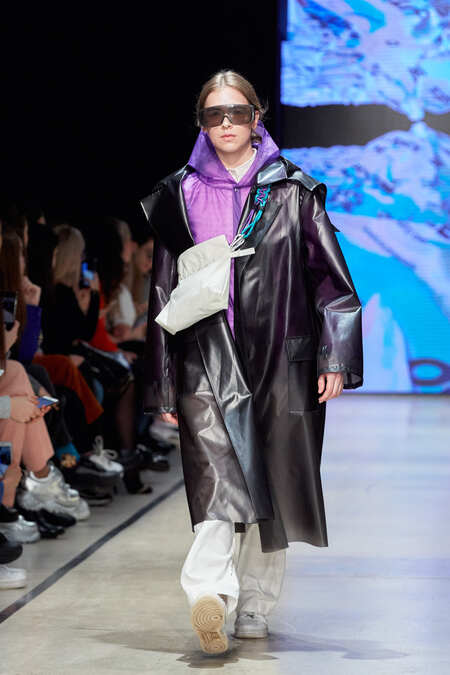
Школа дизайна НИУ ВШЭ — постоянный участник Mercedes-Benz Fashion Week Russia, выступающая на неделе моды под коллективным брендом HARD. Это уникальная традиция Школы дизайна НИУ ВШЭ: студенты, еще на втором или третьем году обучения показывают свои работы на профессиональной неделе моды наравне с известными и существующими много лет марками. HARD работает как творческая лаборатория, которая каждый год формируется заново для создания новой коллекции.
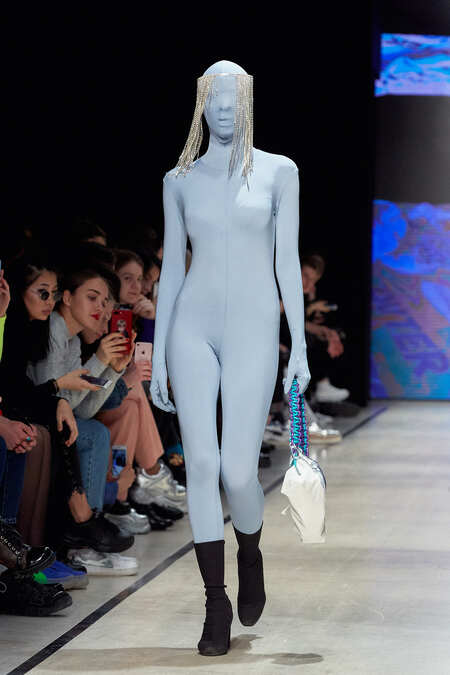
Весной 2019-го года на Mercedes-Benz Fashion Week представлена уже шестая совместная коллекция студентов HARD 006: Outer Spaces. Иные измерения, путешествие в глубины космоса и сознания, новые формы и расширенная реальность, мир, каким его видит человек, упавшего на Землю: коллекция HARD 005 — это футуристические мотивы глазами двадцатилетних, стиль как поиск и полет воображения.
HARD 006: Outer Spaces. Показ Mercedes-Benz Fashion Week Russia 03.04.2019
HSE Fashion представила коллекцию HARD 006: Outer Spaces на Mercedes-Benz Fashion Week Russia 3 апреля 2019 года. Проект включает в себя коллекцию, вдохновлённую космосом и расширенной реальностью, созданную студентами Школы дизайна НИУ ВШЭ.
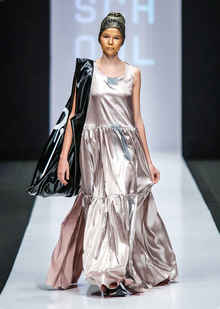
HSE Fashion представил коллекции студентов на Mercedes-Benz Fashion Week Russia 8 ноября 2016 года. Проект включал работы девяти студентов второго курса профиля «Дизайн одежды» под кураторством Екатерины Сычевой.
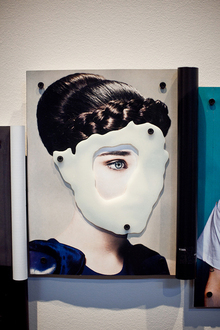
Hse Fashion Archive подготовил подборку выставок с участием российских дизайнеров, которые предлагают нестандартный подход к презентации моды через арт и исследования. Особенностью проекта является акцент на ретроспективных и экспериментальных форматах, таких как выставка «Dysfashional», где вместо традиционных показов использовались художественные инсталляции.
Hse Fashion Archive изучил материалы журнала «Птюч» о моде начала 2000-х и описал эволюцию российской модной сцены. Проект включает интервью с дизайнерами, критику индустрии и отчёт о событиях, таких как фестивали и недели моды в Москве и Тбилиси.
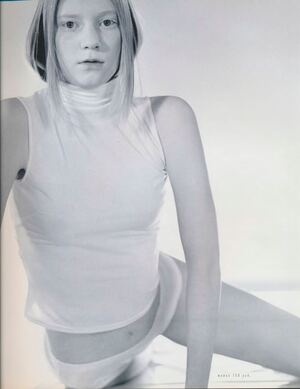
Hse Fashion Archive подготовил обзор рубрики «[LAB]Талант» журнала Jalouse, посвящённой молодым творческим личностям из мира моды и искусства. Проект включал интервью с российскими и зарубежными дизайнерами, музыкантами и другими представителями индустрии, раскрывая их творческие пути и взгляды на будущее.
designschool.am
designschool.am — цифровая экосистема, объединяющая профессиональное портфолио для дизайнеров — студентов, выпускников и сотрудников программы «Коммуникационный дизайн» (совместный проект Российско-Армянского Университета и Школы дизайна НИУ ВШЭ), образовательную онлайн-платформу, площадку, агрегирующую международные онлайн-конкурсы в креативных индустриях и другие профессиональные инструменты.... Show more
We use cookies to improve the operation of the website and to enhance its usability. More detailed information on the use of cookies can be fo...
Show more
Press space bar to start a drag.
When dragging you can use the arrow keys to move the item around and escape to cancel.
Some screen readers may require you to be in focus mode or to use your pass through key
Press space bar to start a drag.
When dragging you can use the arrow keys to move the item around and escape to cancel.
Some screen readers may require you to be in focus mode or to use your pass through key
Press space bar to start a drag.
When dragging you can use the arrow keys to move the item around and escape to cancel.
Some screen readers may require you to be in focus mode or to use your pass through key
Press space bar to start a drag.
When dragging you can use the arrow keys to move the item around and escape to cancel.
Some screen readers may require you to be in focus mode or to use your pass through key
Press space bar to start a drag.
When dragging you can use the arrow keys to move the item around and escape to cancel.
Some screen readers may require you to be in focus mode or to use your pass through key
Press space bar to start a drag.
When dragging you can use the arrow keys to move the item around and escape to cancel.
Some screen readers may require you to be in focus mode or to use your pass through key
Press space bar to start a drag.
When dragging you can use the arrow keys to move the item around and escape to cancel.
Some screen readers may require you to be in focus mode or to use your pass through key
Press space bar to start a drag.
When dragging you can use the arrow keys to move the item around and escape to cancel.
Some screen readers may require you to be in focus mode or to use your pass through key
Press space bar to start a drag.
When dragging you can use the arrow keys to move the item around and escape to cancel.
Some screen readers may require you to be in focus mode or to use your pass through key
Press space bar to start a drag.
When dragging you can use the arrow keys to move the item around and escape to cancel.
Some screen readers may require you to be in focus mode or to use your pass through key
Press space bar to start a drag.
When dragging you can use the arrow keys to move the item around and escape to cancel.
Some screen readers may require you to be in focus mode or to use your pass through key
Press space bar to start a drag.
When dragging you can use the arrow keys to move the item around and escape to cancel.
Some screen readers may require you to be in focus mode or to use your pass through key
Press space bar to start a drag.
When dragging you can use the arrow keys to move the item around and escape to cancel.
Some screen readers may require you to be in focus mode or to use your pass through key
Press space bar to start a drag.
When dragging you can use the arrow keys to move the item around and escape to cancel.
Some screen readers may require you to be in focus mode or to use your pass through key
Press space bar to start a drag.
When dragging you can use the arrow keys to move the item around and escape to cancel.
Some screen readers may require you to be in focus mode or to use your pass through key
Press space bar to start a drag.
When dragging you can use the arrow keys to move the item around and escape to cancel.
Some screen readers may require you to be in focus mode or to use your pass through key
Press space bar to start a drag.
When dragging you can use the arrow keys to move the item around and escape to cancel.
Some screen readers may require you to be in focus mode or to use your pass through key
Press space bar to start a drag.
When dragging you can use the arrow keys to move the item around and escape to cancel.
Some screen readers may require you to be in focus mode or to use your pass through key
Press space bar to start a drag.
When dragging you can use the arrow keys to move the item around and escape to cancel.
Some screen readers may require you to be in focus mode or to use your pass through key
Press space bar to start a drag.
When dragging you can use the arrow keys to move the item around and escape to cancel.
Some screen readers may require you to be in focus mode or to use your pass through key
Press space bar to start a drag.
When dragging you can use the arrow keys to move the item around and escape to cancel.
Some screen readers may require you to be in focus mode or to use your pass through key
Press space bar to start a drag.
When dragging you can use the arrow keys to move the item around and escape to cancel.
Some screen readers may require you to be in focus mode or to use your pass through key
Press space bar to start a drag.
When dragging you can use the arrow keys to move the item around and escape to cancel.
Some screen readers may require you to be in focus mode or to use your pass through key
Press space bar to start a drag.
When dragging you can use the arrow keys to move the item around and escape to cancel.
Some screen readers may require you to be in focus mode or to use your pass through key
Press space bar to start a drag.
When dragging you can use the arrow keys to move the item around and escape to cancel.
Some screen readers may require you to be in focus mode or to use your pass through key
Press space bar to start a drag.
When dragging you can use the arrow keys to move the item around and escape to cancel.
Some screen readers may require you to be in focus mode or to use your pass through key