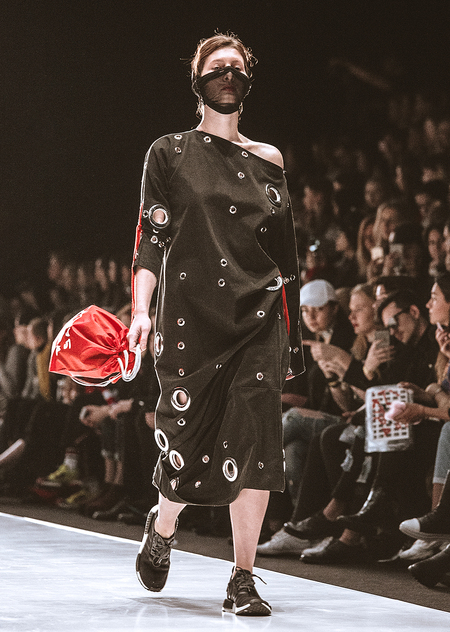
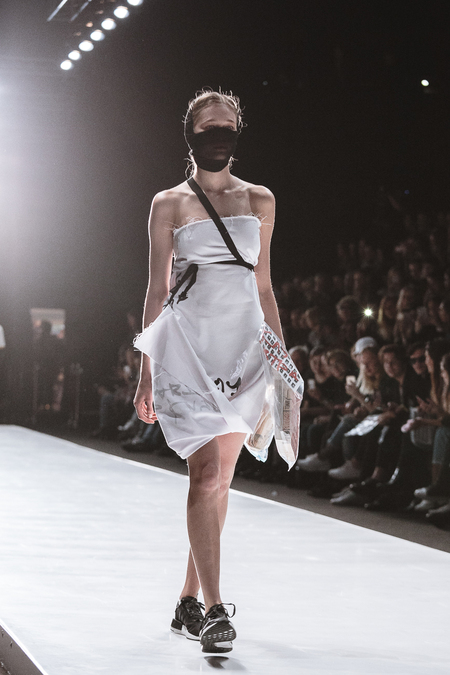
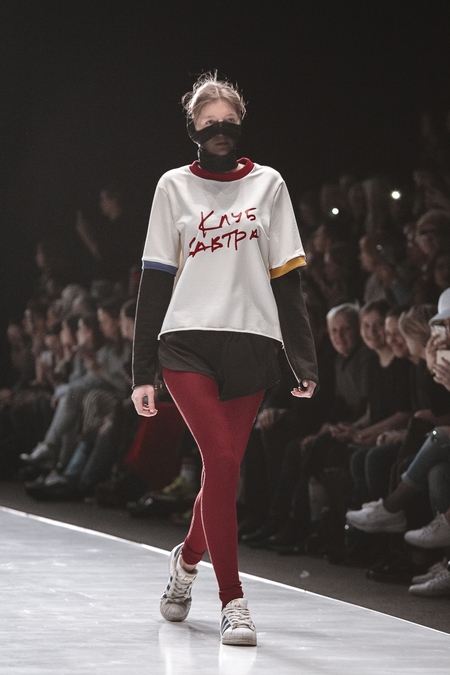
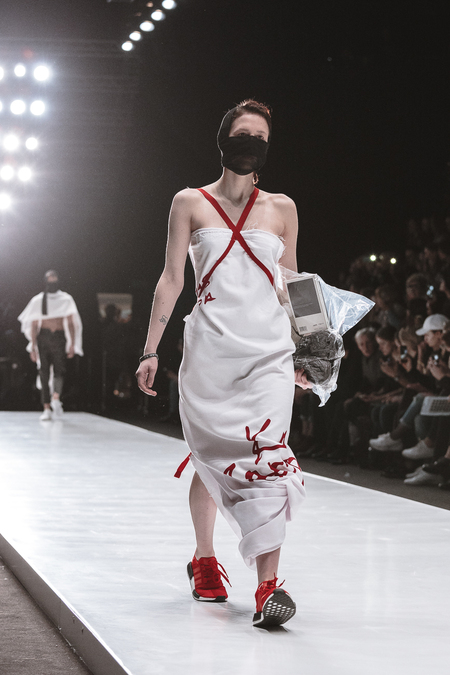
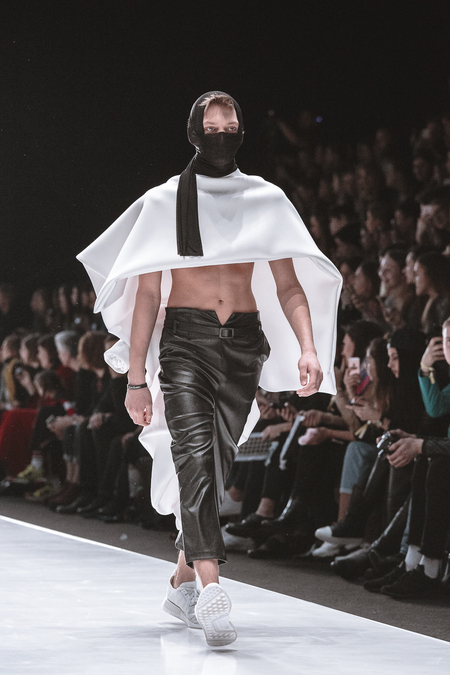
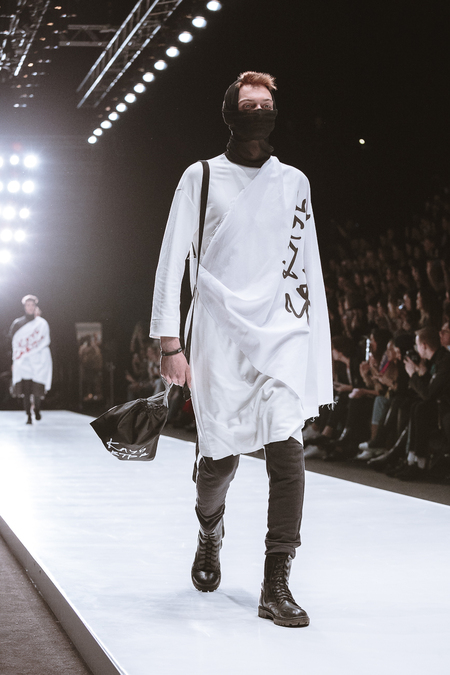
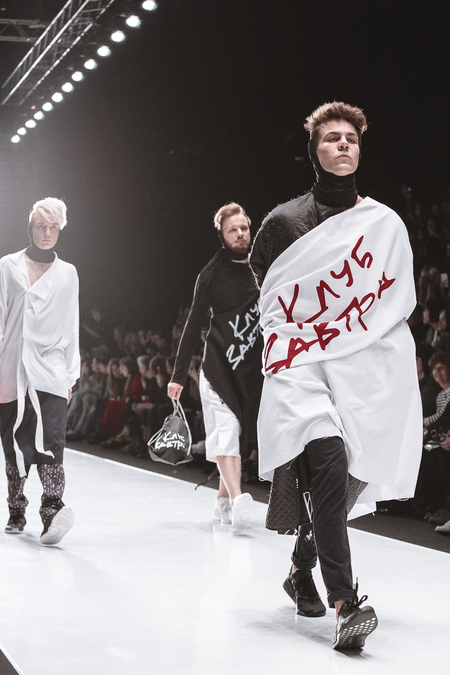
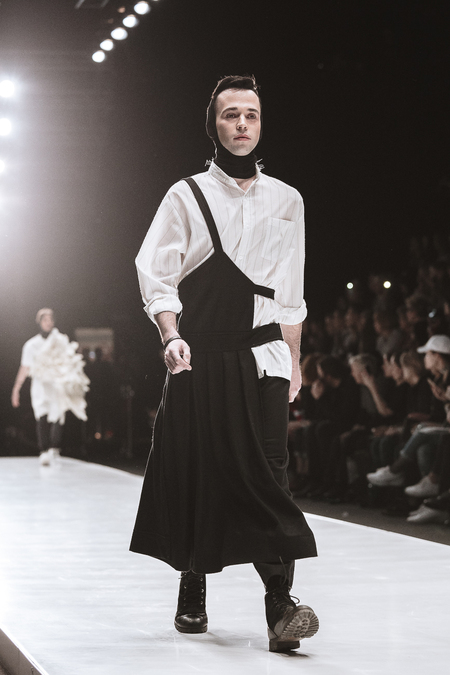
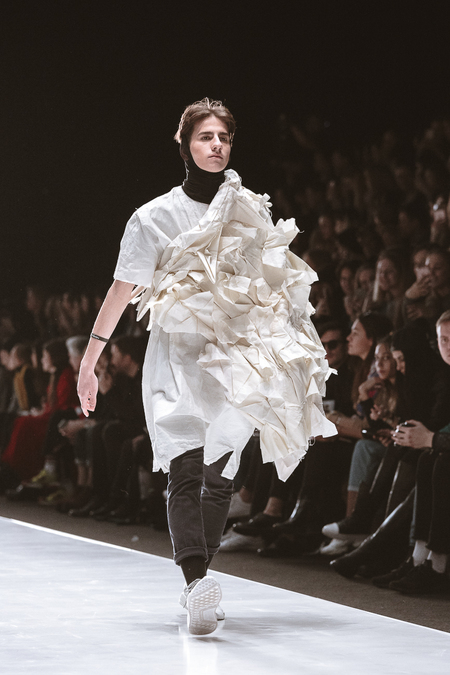
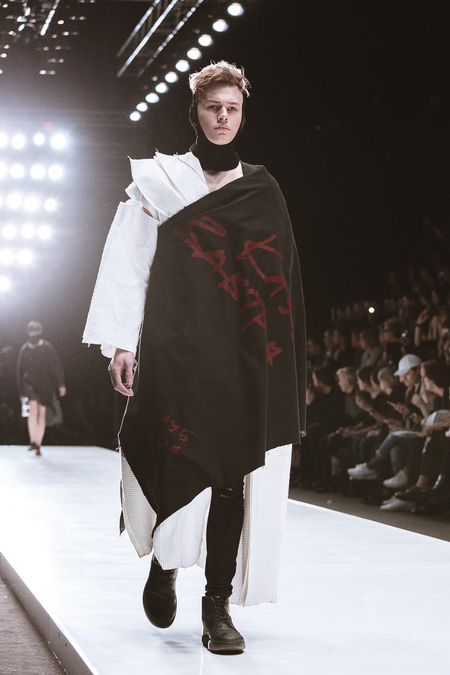
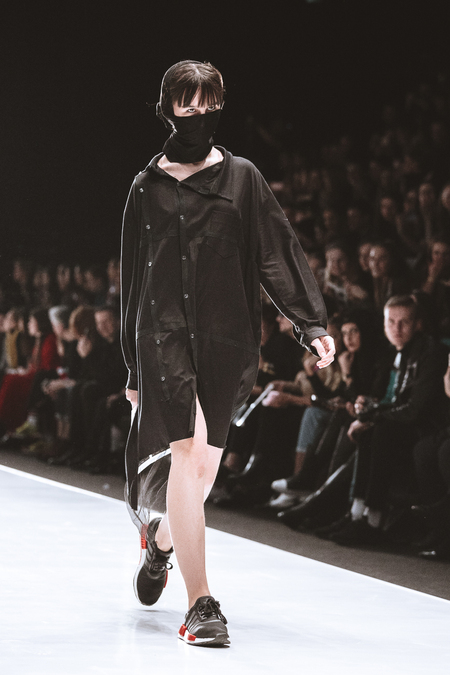
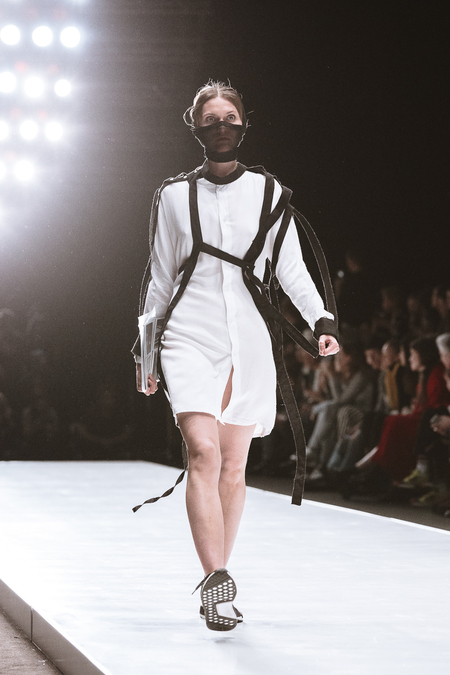
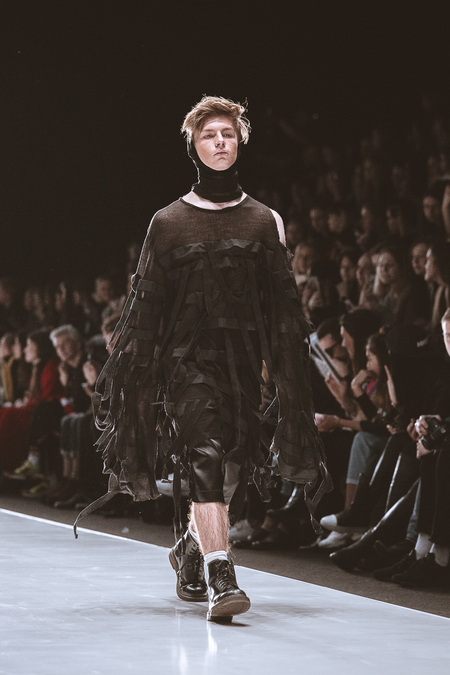
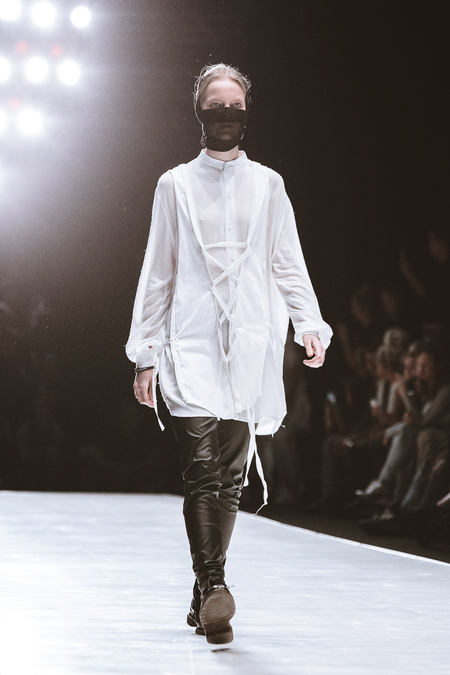
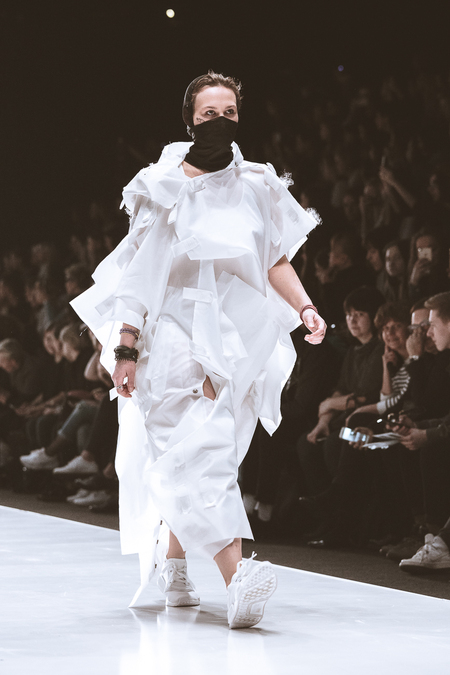
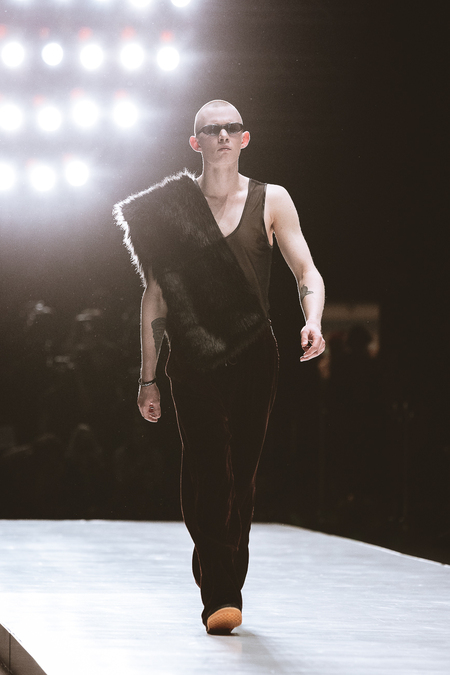
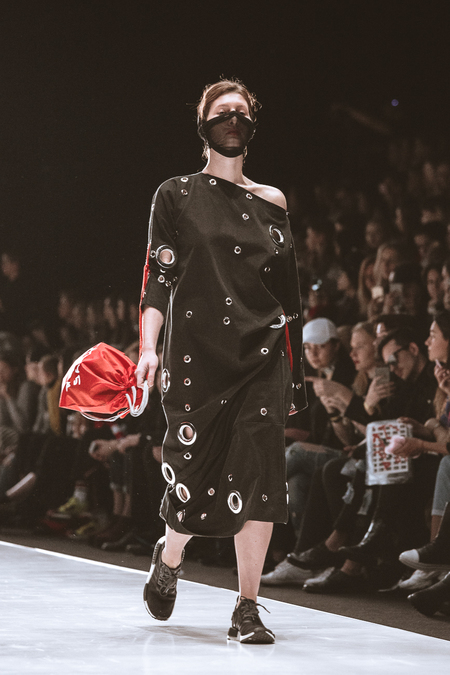
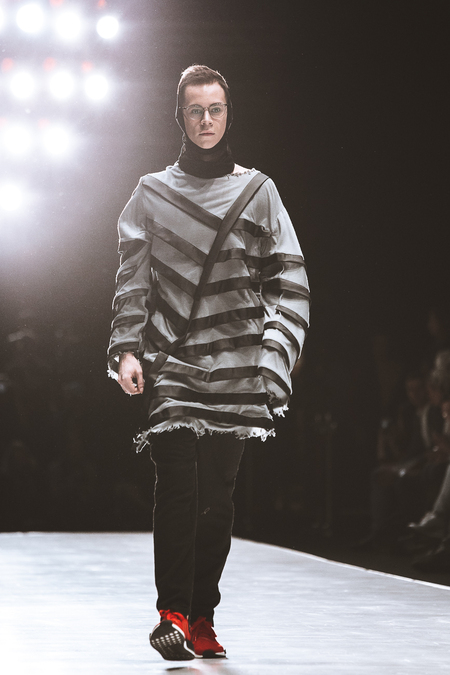
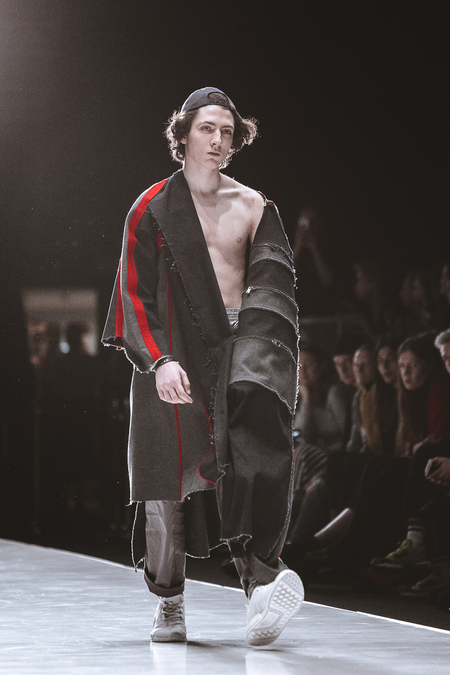
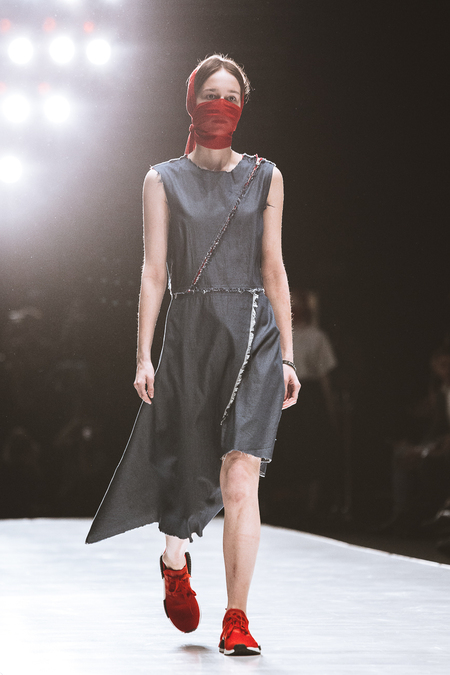
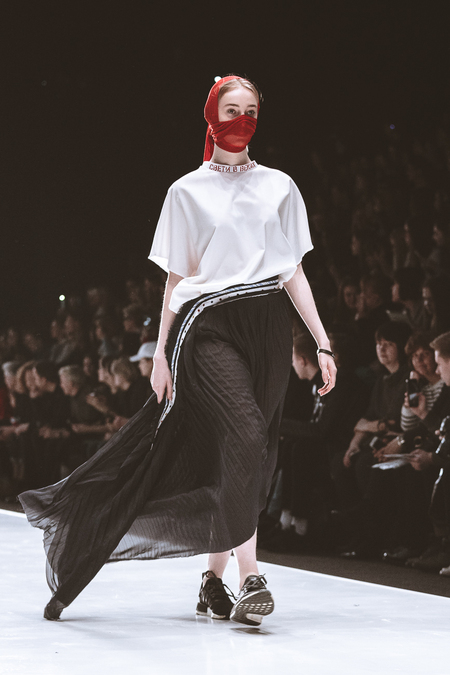
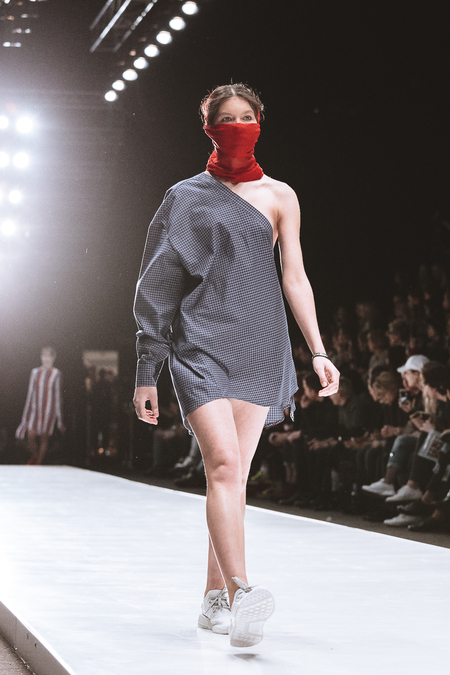
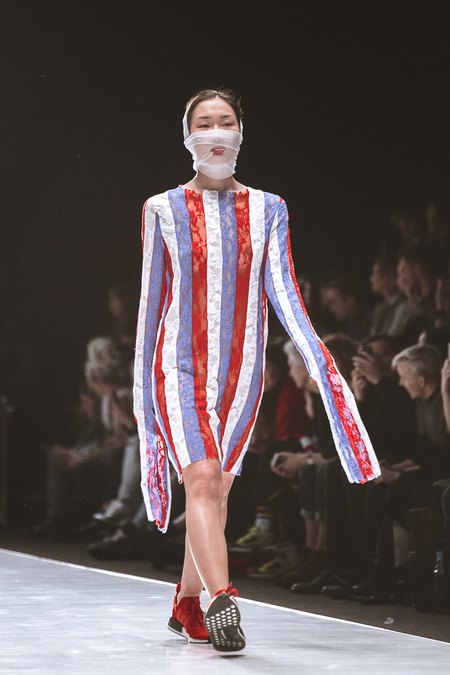
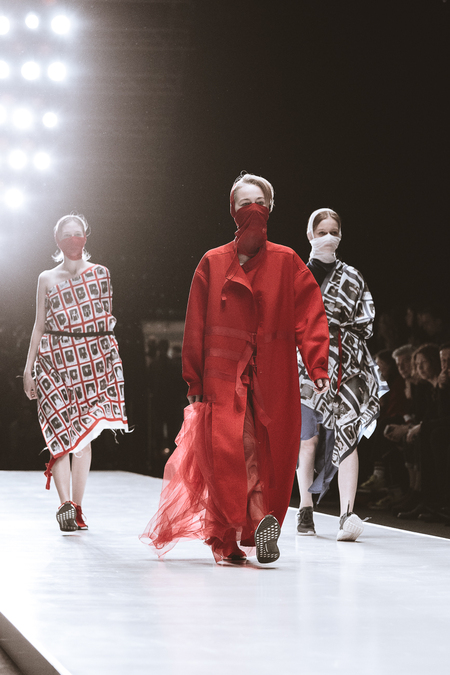
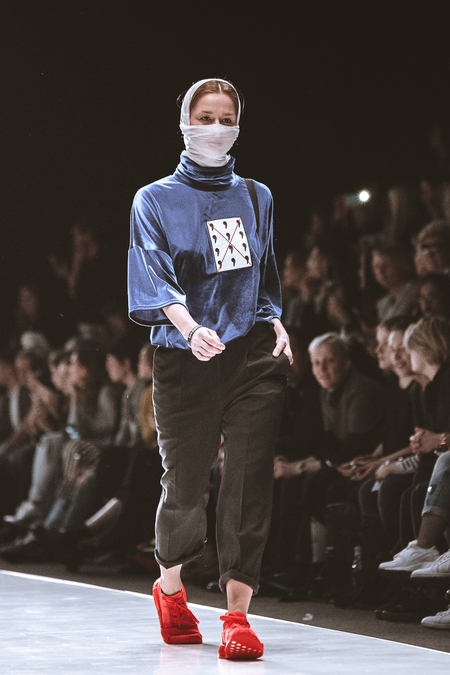
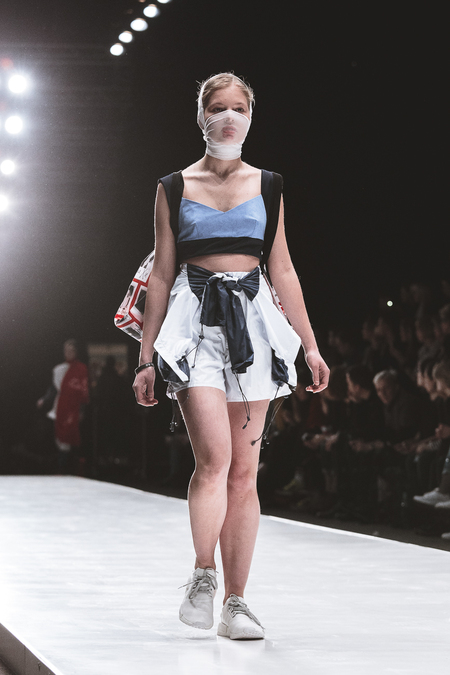
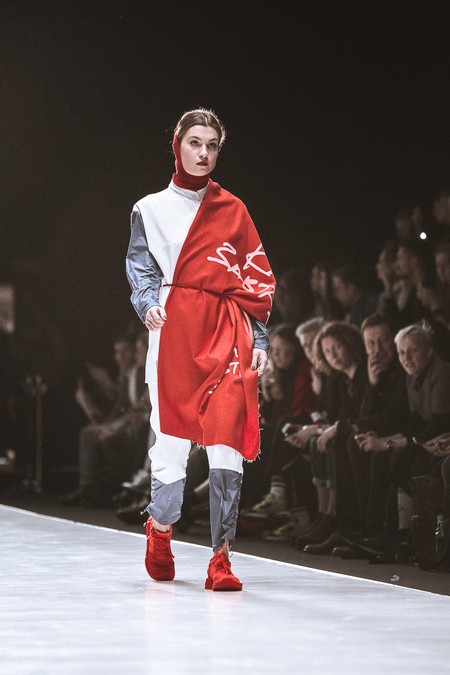
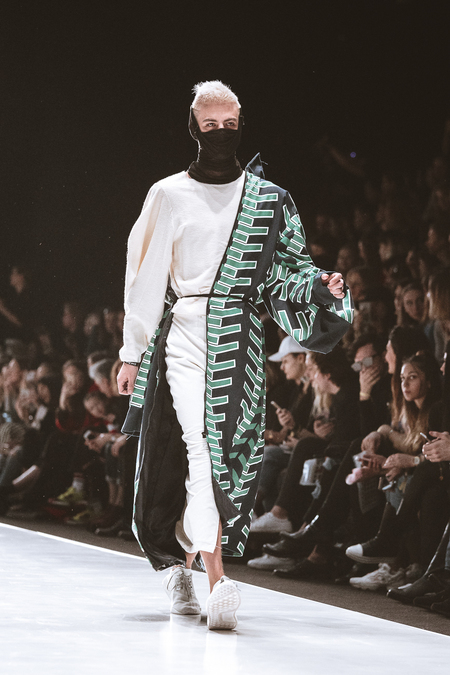
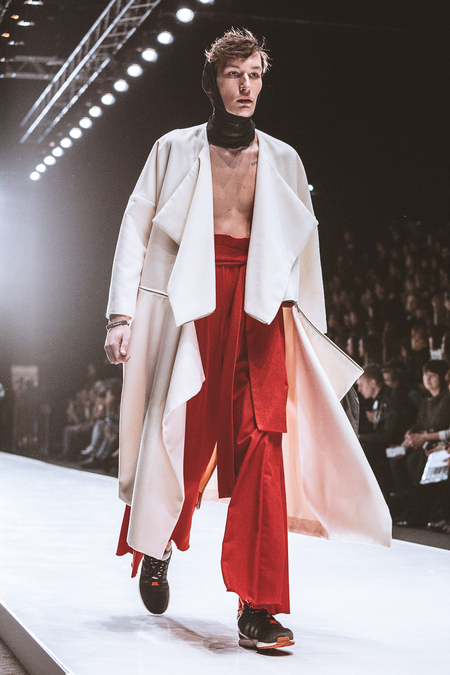
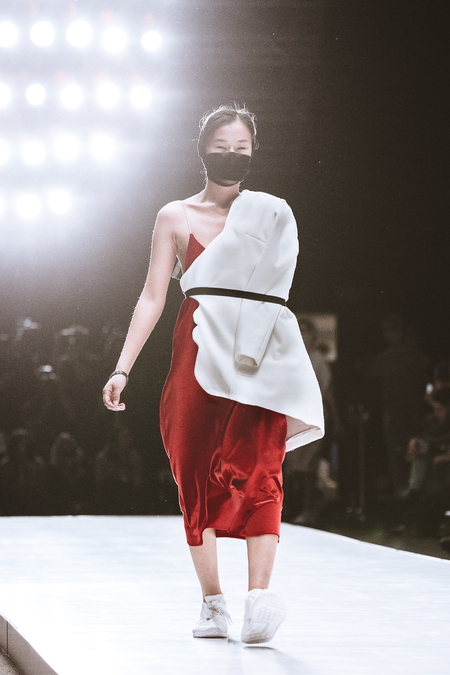
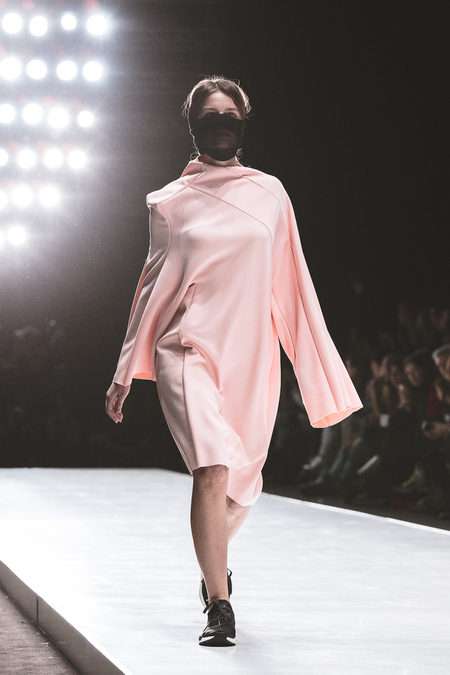
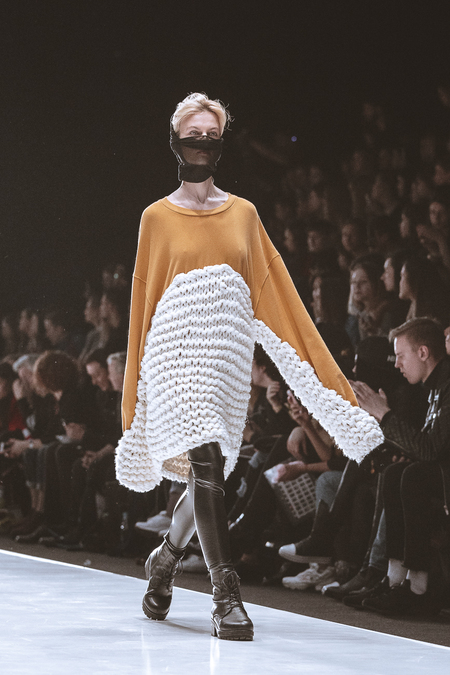
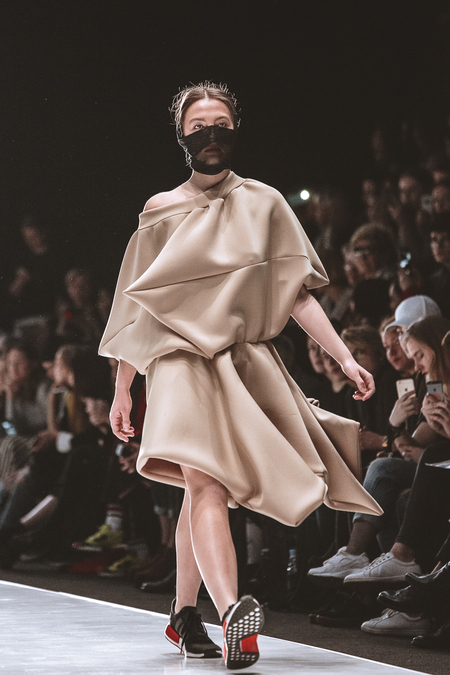
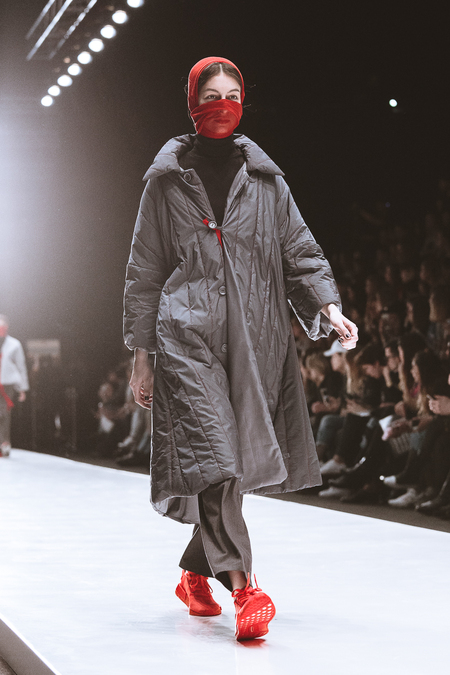
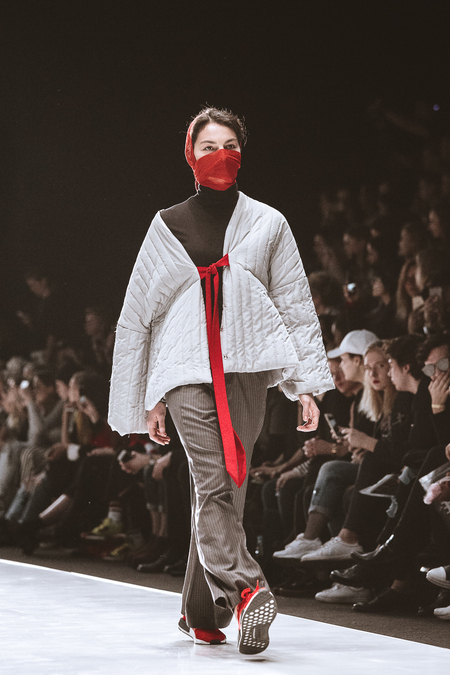
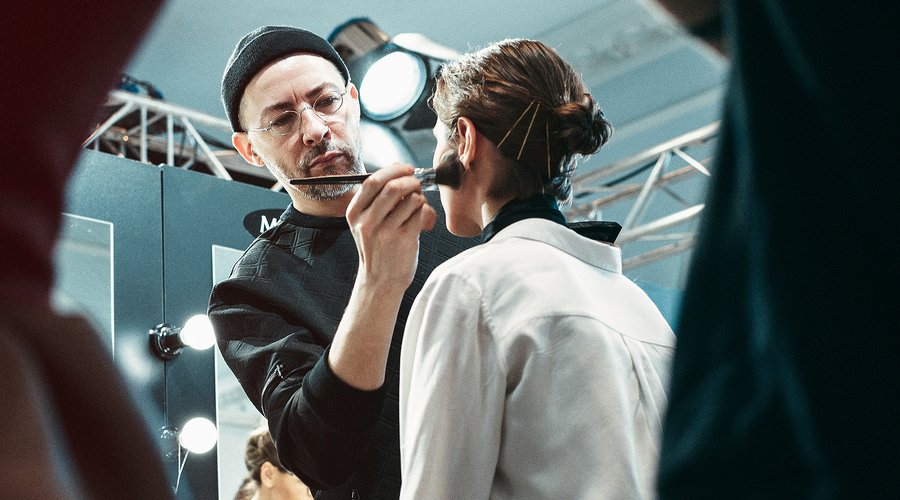
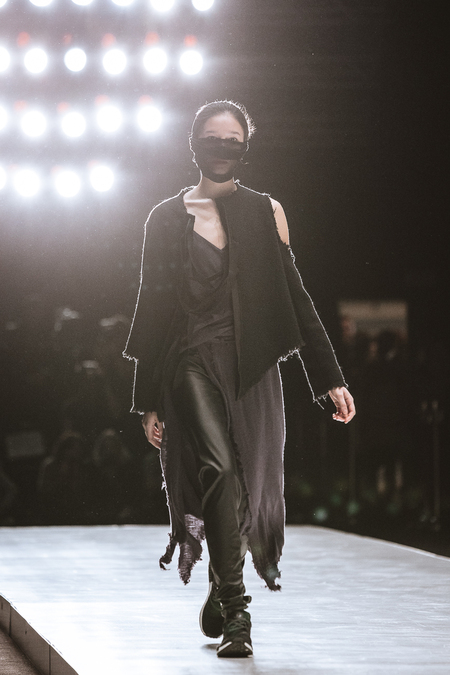
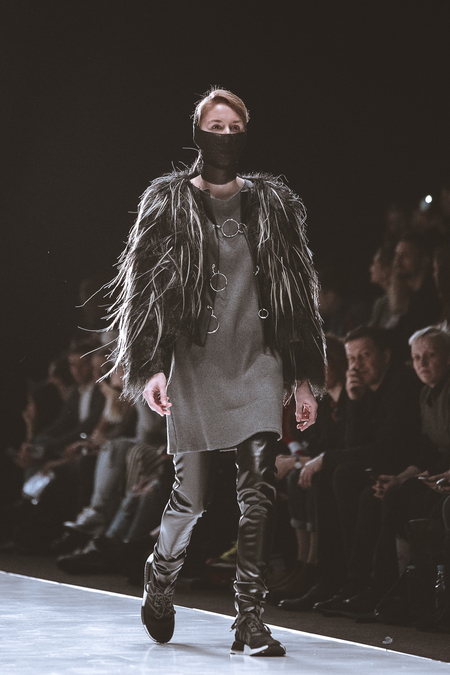
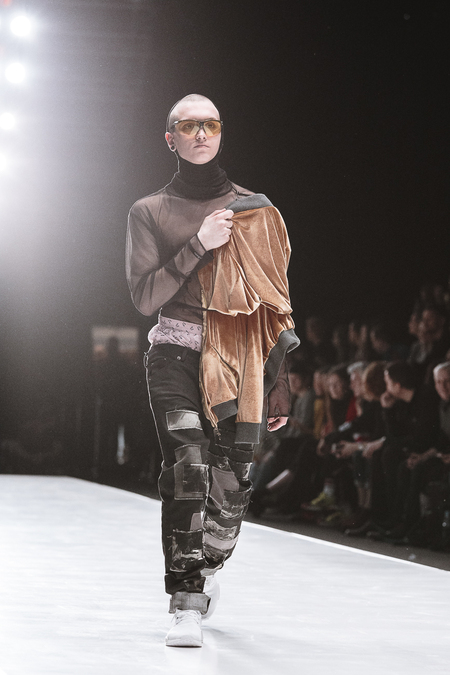
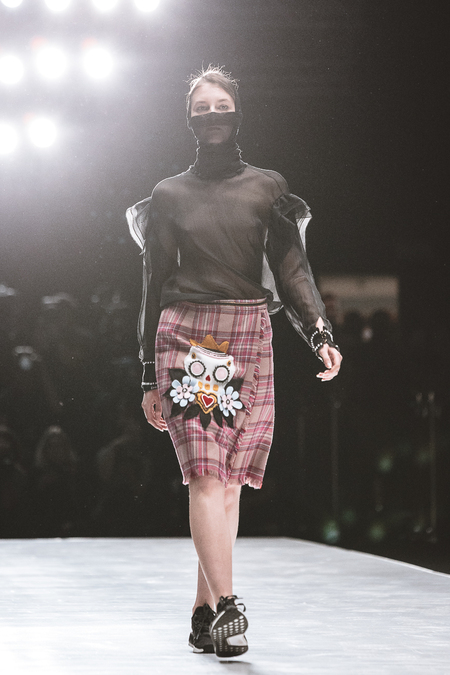
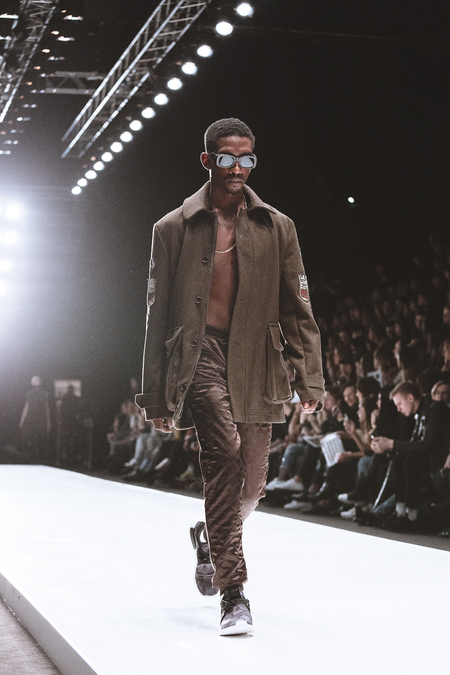
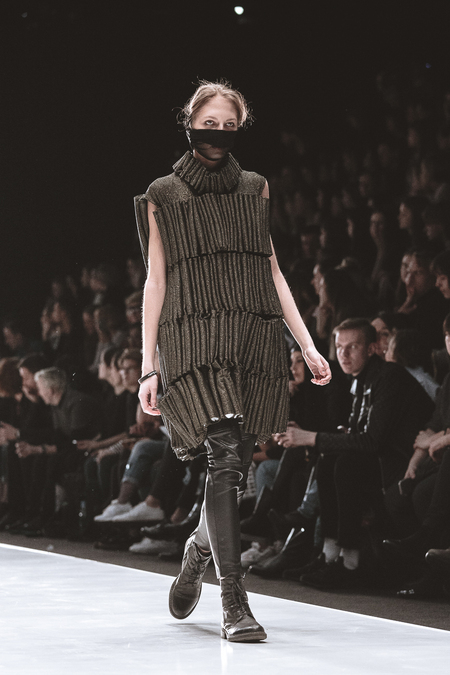
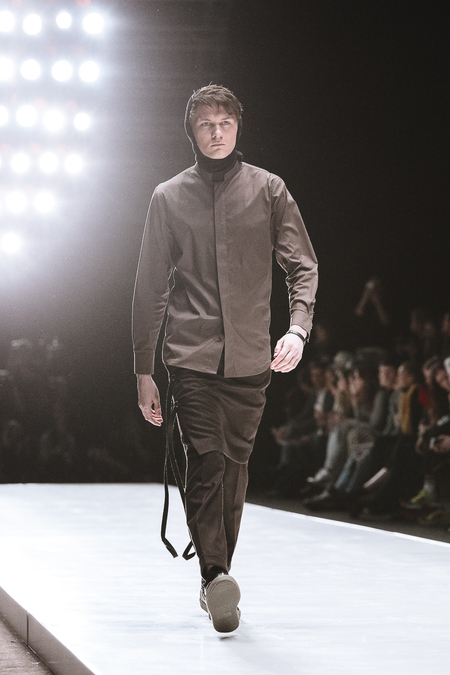
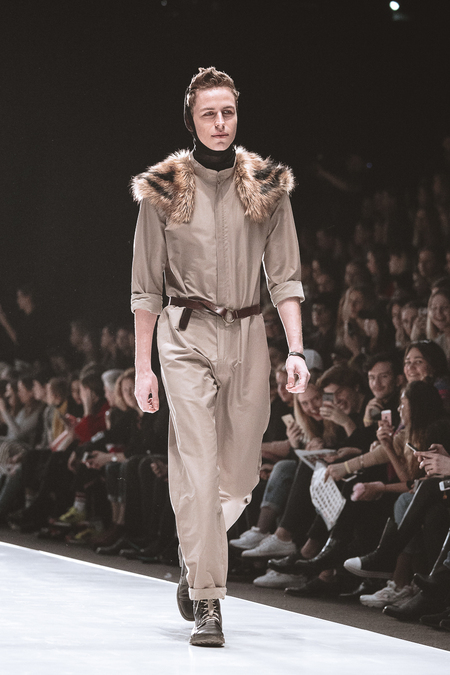
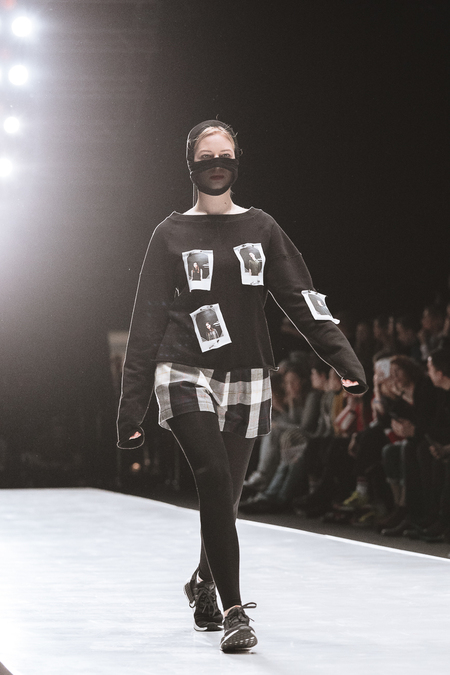
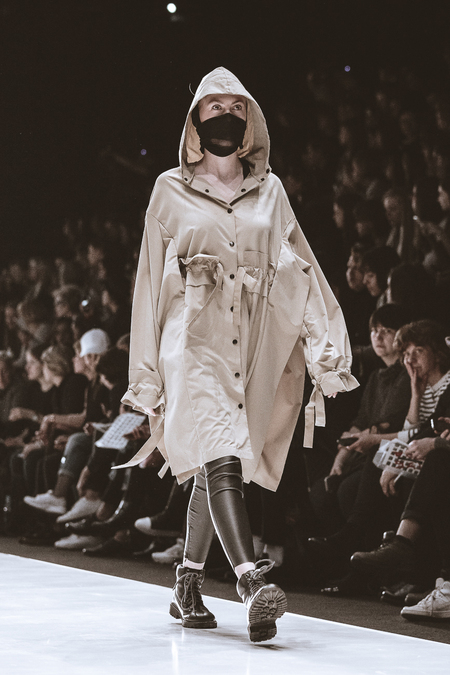
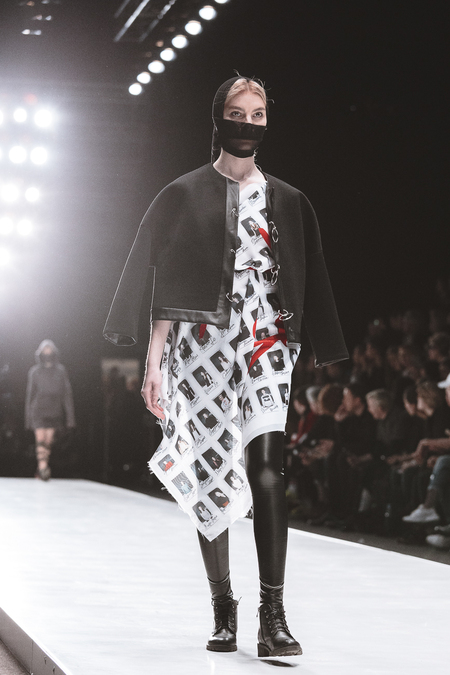
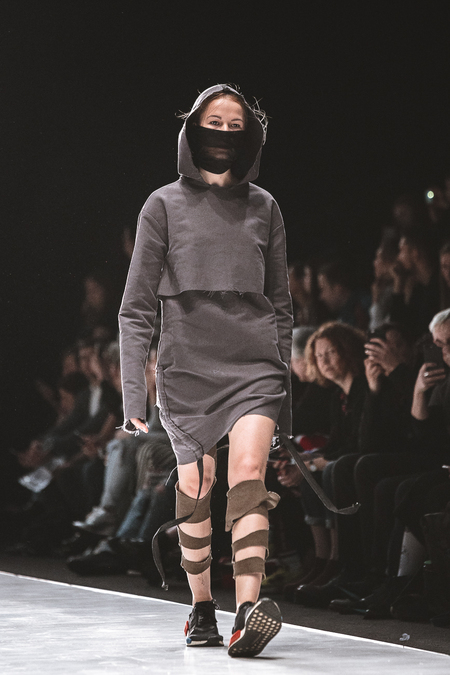
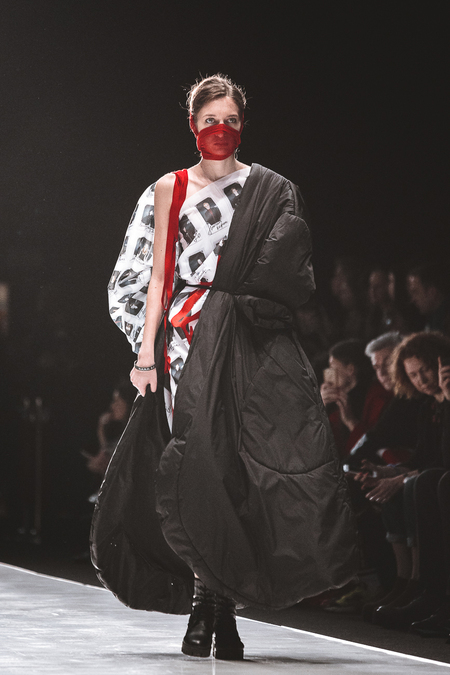
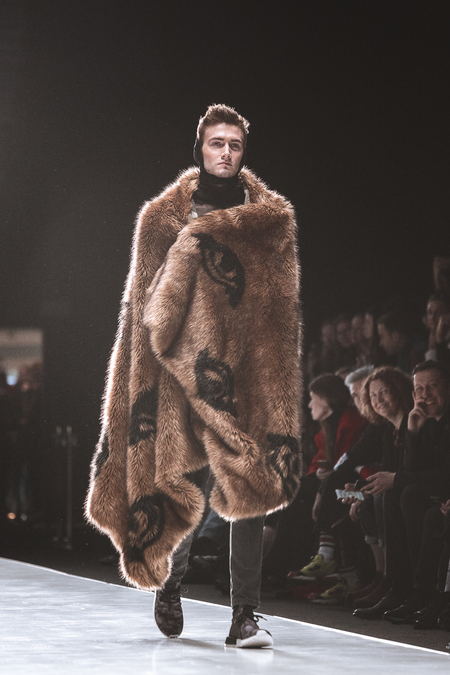
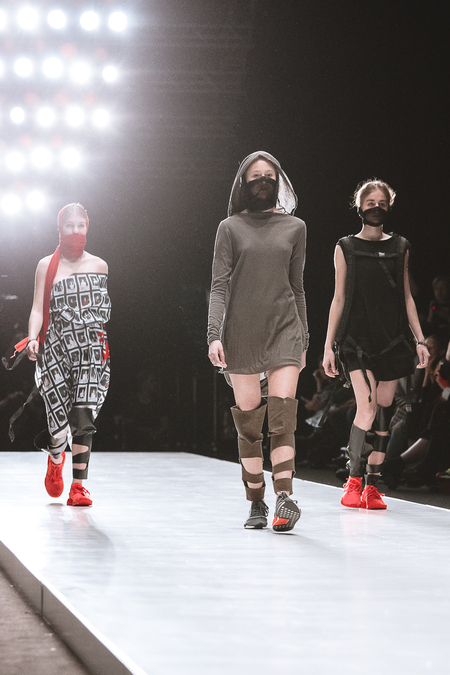
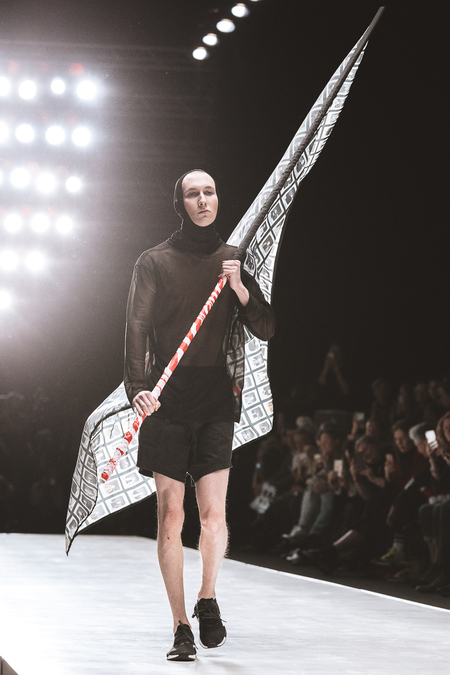
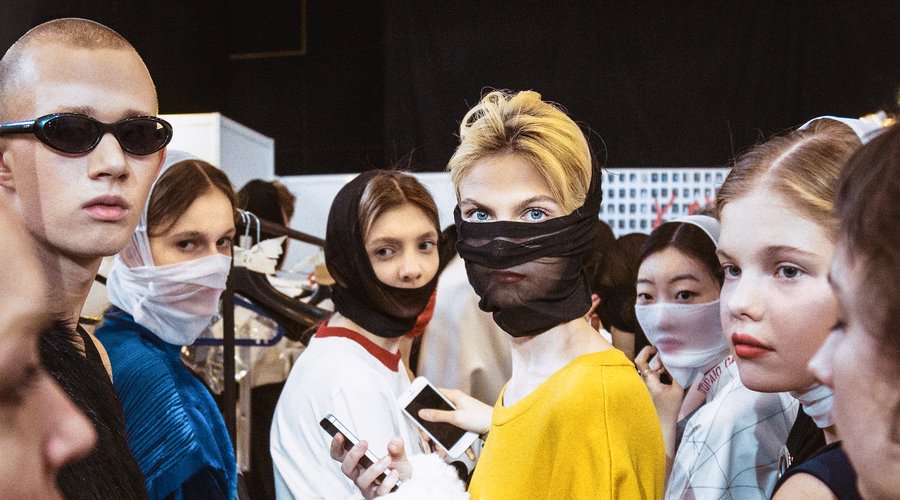
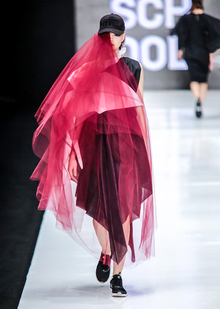
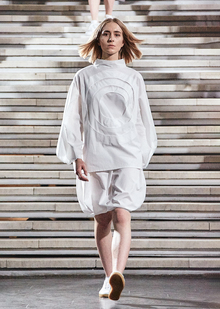
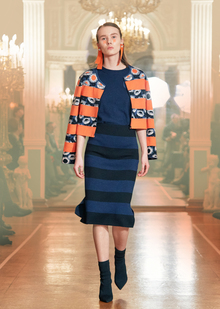
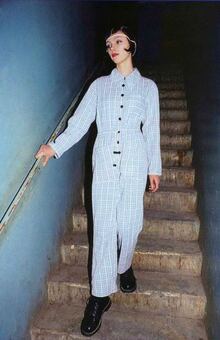
В марте 2017 года Школа дизайна НИУ ВШЭ в третий раз представила коллекции студентов профиля «Дизайн одежды» под общим брендом HARD на Merсedes-Benz Fashion Week Russia. Коллекция студентов Школы дизайна НИУ ВШЭ — это результат работы дизайнеров разных курсов бакалавриата и магистратуры, объединенной общей темой «Клуб Завтра».
Показ был частью учебной задачи студентов третьего курса, которые под руководством куратора Екатерины Сычевой подготовили образы, разработали концепцию показа, занимались кастингом моделей, подбором музыки, режиссурой и т. д. В показе участвовали работы студенток второго курса профиля «Дизайн одежды» Екатерины Ежуковой, Марии Забуслаевой, Татьяны Катаровой, Анны Корнеенковой, Полины Лобановой, Анастасии Морозовой, Натальи Мотиенко, Дианы Раимжановой, Татьяны Сидоровой.
HARD 003: Клуб Завтра. Mercedes-Benz Fashion Week Russia. Март 2017 года
HSE Fashion представила коллекцию студентов под брендом HARD на Mercedes-Benz Fashion Week Russia в марте 2017 года. Проект включал участие студенток второго курса, которые создавали образы под общую тему «Клуб Завтра».
Студенты Школы дизайна НИУ ВШЭ представили свою первую коллекцию на Mercedes-Benz Fashion Week Russia 21 марта 2016 года. Проект HARD 001 включал работы девяти дизайнеров, созданные специально для профессиональной недели моды и показанные под кураторством Екатерины Сычевой.
HSE Fashion организовал показ студенческих работ в Третьяковской галерее 18 мая 2019 года. Показ включал более 120 вещей, созданных студентами Школы дизайна НИУ ВШЭ, и сопровождался видеоинсталляцией агентства «Сила света».
Студенты Школы дизайна НИУ ВШЭ провели показ скандинавских дизайнеров в посольстве Норвегии 15 апреля 2019 года. Показ прошёл в рамках конференции «Мода северных стран: между локальным и глобальным».
Проект «Архив российской моды» изучил материалы «Коммерсанта» 1990-х годов и выделил ключевые тенденции и события светской жизни того времени. Особенностью проекта является анализ рубрик «La vie de jour» и «La vie de nuit», которые отражали модные и культурные явления эпохи с акцентом на неформальные и авангардные мероприятия.
designschool.am
designschool.am — цифровая экосистема, объединяющая профессиональное портфолио для дизайнеров — студентов, выпускников и сотрудников программы «Коммуникационный дизайн» (совместный проект Российско-Армянского Университета и Школы дизайна НИУ ВШЭ), образовательную онлайн-платформу, площадку, агрегирующую международные онлайн-конкурсы в креативных индустриях и другие профессиональные инструменты.... Show more
We use cookies to improve the operation of the website and to enhance its usability. More detailed information on the use of cookies can be fo...
Show more
Press space bar to start a drag.
When dragging you can use the arrow keys to move the item around and escape to cancel.
Some screen readers may require you to be in focus mode or to use your pass through key
Press space bar to start a drag.
When dragging you can use the arrow keys to move the item around and escape to cancel.
Some screen readers may require you to be in focus mode or to use your pass through key
Press space bar to start a drag.
When dragging you can use the arrow keys to move the item around and escape to cancel.
Some screen readers may require you to be in focus mode or to use your pass through key
Press space bar to start a drag.
When dragging you can use the arrow keys to move the item around and escape to cancel.
Some screen readers may require you to be in focus mode or to use your pass through key
Press space bar to start a drag.
When dragging you can use the arrow keys to move the item around and escape to cancel.
Some screen readers may require you to be in focus mode or to use your pass through key
Press space bar to start a drag.
When dragging you can use the arrow keys to move the item around and escape to cancel.
Some screen readers may require you to be in focus mode or to use your pass through key
Press space bar to start a drag.
When dragging you can use the arrow keys to move the item around and escape to cancel.
Some screen readers may require you to be in focus mode or to use your pass through key
Press space bar to start a drag.
When dragging you can use the arrow keys to move the item around and escape to cancel.
Some screen readers may require you to be in focus mode or to use your pass through key
Press space bar to start a drag.
When dragging you can use the arrow keys to move the item around and escape to cancel.
Some screen readers may require you to be in focus mode or to use your pass through key
Press space bar to start a drag.
When dragging you can use the arrow keys to move the item around and escape to cancel.
Some screen readers may require you to be in focus mode or to use your pass through key
Press space bar to start a drag.
When dragging you can use the arrow keys to move the item around and escape to cancel.
Some screen readers may require you to be in focus mode or to use your pass through key
Press space bar to start a drag.
When dragging you can use the arrow keys to move the item around and escape to cancel.
Some screen readers may require you to be in focus mode or to use your pass through key
Press space bar to start a drag.
When dragging you can use the arrow keys to move the item around and escape to cancel.
Some screen readers may require you to be in focus mode or to use your pass through key
Press space bar to start a drag.
When dragging you can use the arrow keys to move the item around and escape to cancel.
Some screen readers may require you to be in focus mode or to use your pass through key
Press space bar to start a drag.
When dragging you can use the arrow keys to move the item around and escape to cancel.
Some screen readers may require you to be in focus mode or to use your pass through key
Press space bar to start a drag.
When dragging you can use the arrow keys to move the item around and escape to cancel.
Some screen readers may require you to be in focus mode or to use your pass through key
Press space bar to start a drag.
When dragging you can use the arrow keys to move the item around and escape to cancel.
Some screen readers may require you to be in focus mode or to use your pass through key
Press space bar to start a drag.
When dragging you can use the arrow keys to move the item around and escape to cancel.
Some screen readers may require you to be in focus mode or to use your pass through key
Press space bar to start a drag.
When dragging you can use the arrow keys to move the item around and escape to cancel.
Some screen readers may require you to be in focus mode or to use your pass through key
Press space bar to start a drag.
When dragging you can use the arrow keys to move the item around and escape to cancel.
Some screen readers may require you to be in focus mode or to use your pass through key
Press space bar to start a drag.
When dragging you can use the arrow keys to move the item around and escape to cancel.
Some screen readers may require you to be in focus mode or to use your pass through key
Press space bar to start a drag.
When dragging you can use the arrow keys to move the item around and escape to cancel.
Some screen readers may require you to be in focus mode or to use your pass through key
Press space bar to start a drag.
When dragging you can use the arrow keys to move the item around and escape to cancel.
Some screen readers may require you to be in focus mode or to use your pass through key
Press space bar to start a drag.
When dragging you can use the arrow keys to move the item around and escape to cancel.
Some screen readers may require you to be in focus mode or to use your pass through key
Press space bar to start a drag.
When dragging you can use the arrow keys to move the item around and escape to cancel.
Some screen readers may require you to be in focus mode or to use your pass through key