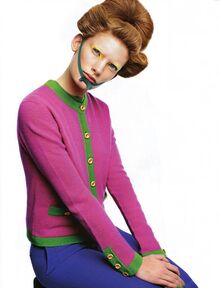
Чарли Гейтс- британский фотограф, который рано увлекся фотографией и, быстро получив признание, начал снимать для крупнейших модных изданий: Vogue, Harper’s Bazaar и Elle. Также снимал для рекламных кампаний, и его работы публиковались в журналах и газетах по всему миру.
В его съемках часто затрагиваются темы идентичности, красоты и природы.
В исследовании выявлены приемы и основные особенности работ фотографа.
Хава Исаева подготовила исследование фотографа Charlie Gates, в котором анализируются его работы и стиль съемки. Особенностью проекта является выявление приемов, таких как цветной фон, гармония с природой и акцент на теле.
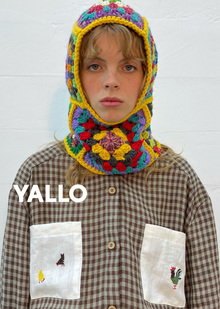
Yallo Fashion brand представила профайл, описывающий развитие нижегородского проекта с 2016 года. Проект известен индивидуальным подходом к пошиву одежды и отказом от сотрудничества с фабриками.
Parc Lunaire Fashion brand представил профайл бренда, описывающий создание и развитие российского модного проекта, основанного в 2022 году. Проект включает уникальный логотип I <3 PL, созданный по мотивам культового I <3 NY с добавлением творческих элементов в виде рожки и хвостика.
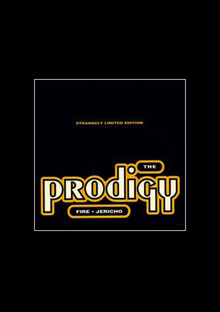
Софья Сорокина подготовила текст о британской электронной группе The Prodigy, известной своей агрессивной и энергичной музыкой. Проект описывает уникальный стиль группы, сочетающий элементы биг-бита, рейва и хардкора, а также культовый образ Кита Флинта с двойным ирокезом и ярким макияжем.
designschool.am
designschool.am — цифровая экосистема, объединяющая профессиональное портфолио для дизайнеров — студентов, выпускников и сотрудников программы «Коммуникационный дизайн» (совместный проект Российско-Армянского Университета и Школы дизайна НИУ ВШЭ), образовательную онлайн-платформу, площадку, агрегирующую международные онлайн-конкурсы в креативных индустриях и другие профессиональные инструменты.... Show more
We use cookies to improve the operation of the website and to enhance its usability. More detailed information on the use of cookies can be fo...
Show more
Press space bar to start a drag.
When dragging you can use the arrow keys to move the item around and escape to cancel.
Some screen readers may require you to be in focus mode or to use your pass through key
Press space bar to start a drag.
When dragging you can use the arrow keys to move the item around and escape to cancel.
Some screen readers may require you to be in focus mode or to use your pass through key
Press space bar to start a drag.
When dragging you can use the arrow keys to move the item around and escape to cancel.
Some screen readers may require you to be in focus mode or to use your pass through key
Press space bar to start a drag.
When dragging you can use the arrow keys to move the item around and escape to cancel.
Some screen readers may require you to be in focus mode or to use your pass through key
Press space bar to start a drag.
When dragging you can use the arrow keys to move the item around and escape to cancel.
Some screen readers may require you to be in focus mode or to use your pass through key
Press space bar to start a drag.
When dragging you can use the arrow keys to move the item around and escape to cancel.
Some screen readers may require you to be in focus mode or to use your pass through key
Press space bar to start a drag.
When dragging you can use the arrow keys to move the item around and escape to cancel.
Some screen readers may require you to be in focus mode or to use your pass through key
Press space bar to start a drag.
When dragging you can use the arrow keys to move the item around and escape to cancel.
Some screen readers may require you to be in focus mode or to use your pass through key
Press space bar to start a drag.
When dragging you can use the arrow keys to move the item around and escape to cancel.
Some screen readers may require you to be in focus mode or to use your pass through key
Press space bar to start a drag.
When dragging you can use the arrow keys to move the item around and escape to cancel.
Some screen readers may require you to be in focus mode or to use your pass through key
Press space bar to start a drag.
When dragging you can use the arrow keys to move the item around and escape to cancel.
Some screen readers may require you to be in focus mode or to use your pass through key
Press space bar to start a drag.
When dragging you can use the arrow keys to move the item around and escape to cancel.
Some screen readers may require you to be in focus mode or to use your pass through key
Press space bar to start a drag.
When dragging you can use the arrow keys to move the item around and escape to cancel.
Some screen readers may require you to be in focus mode or to use your pass through key
Press space bar to start a drag.
When dragging you can use the arrow keys to move the item around and escape to cancel.
Some screen readers may require you to be in focus mode or to use your pass through key
Press space bar to start a drag.
When dragging you can use the arrow keys to move the item around and escape to cancel.
Some screen readers may require you to be in focus mode or to use your pass through key