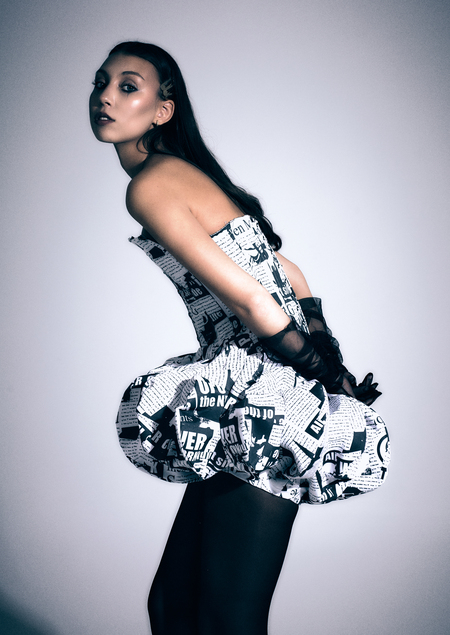
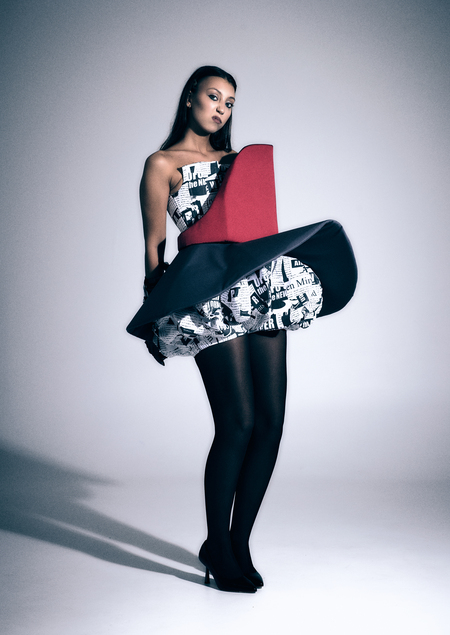
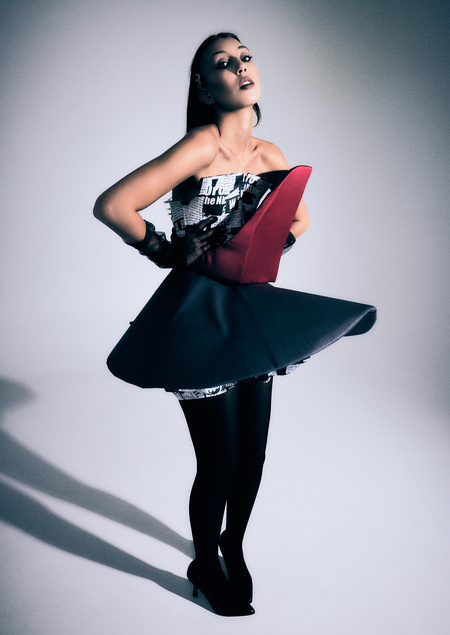
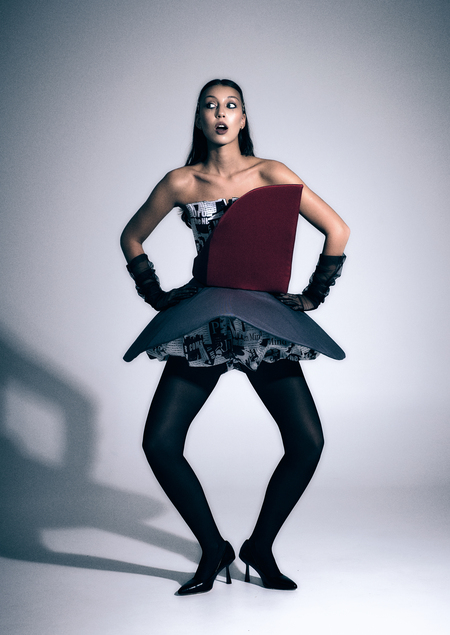
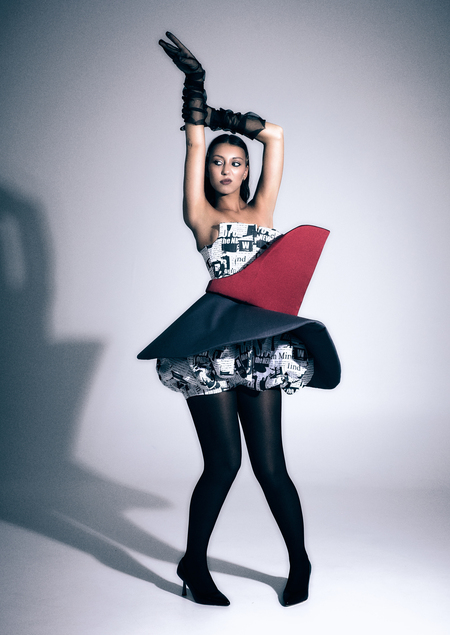
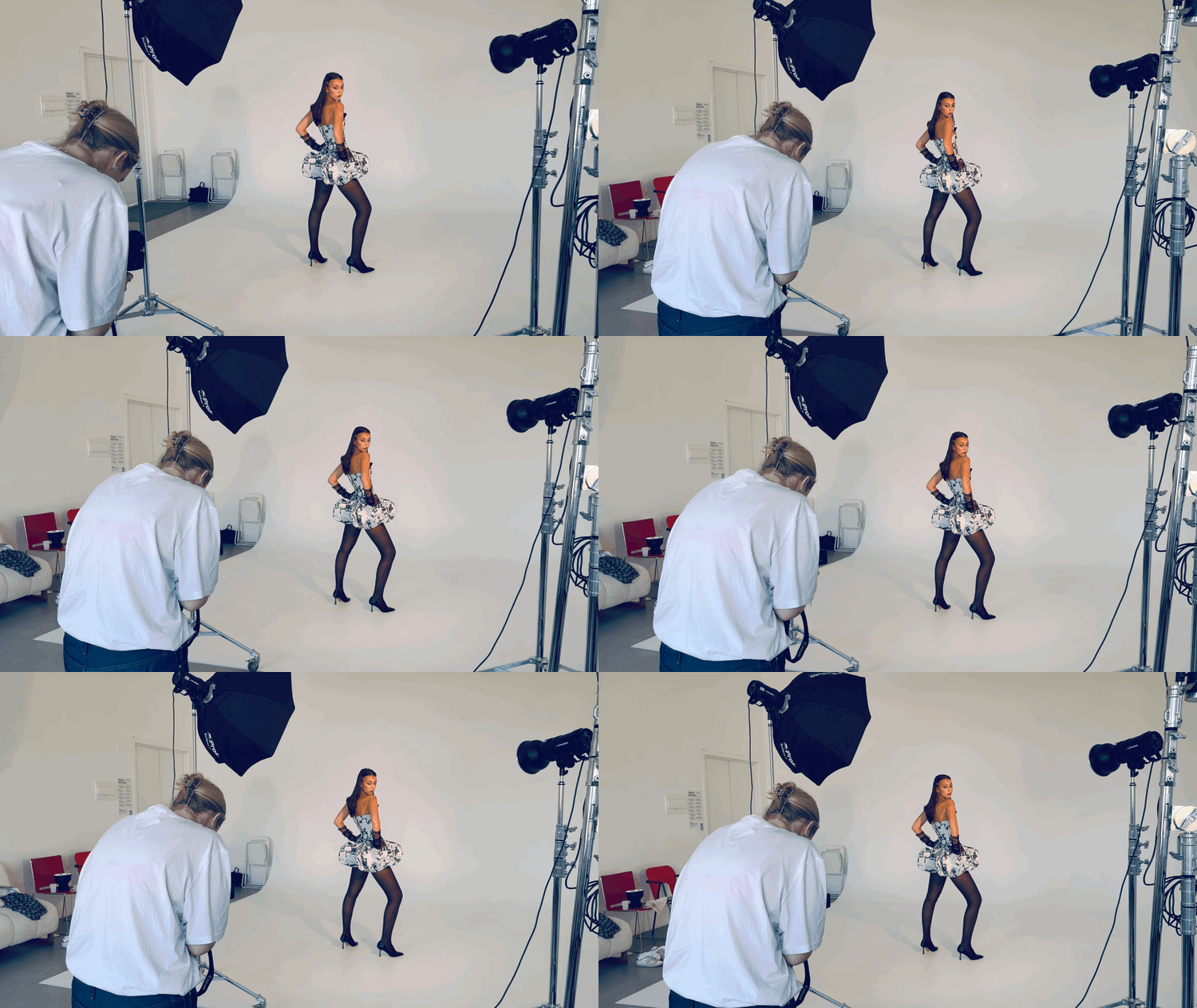
Проект основан на периоде Голубого Пьеро Дэвида Боуи: его Пьеро — это не просто театральный шут, а символ предельной уязвимости, экзистенциального одиночества и внутренней растерянности, скрытой за безупречным и ярким визуальным фасадом.
Современный человек во многом подобен деконструированному Пьеро. Мы ежедневно конструируем тот же безупречный и выверенный «фасад», за которым скрывается хрупкий внутренний мир, личность, фрагментированная и собранная заново из сотен культурных нарезок, цитат и чужих смыслов, ведь очень страшно показать себя настоящего. Черно-белые коллажные принты, скрытые под строгими геометрическими формами, в коллекции становятся манифестом этой внутренней хрупкой мозаичности, которую мы скрываем за ярким и выверенным фасадом.
Мы используем файлы cookies для улучшения работы сайта и большего удобства его использования. Более подробную информац...
Показать больше
Press space bar to start a drag.
When dragging you can use the arrow keys to move the item around and escape to cancel.
Some screen readers may require you to be in focus mode or to use your pass through key
Press space bar to start a drag.
When dragging you can use the arrow keys to move the item around and escape to cancel.
Some screen readers may require you to be in focus mode or to use your pass through key
Press space bar to start a drag.
When dragging you can use the arrow keys to move the item around and escape to cancel.
Some screen readers may require you to be in focus mode or to use your pass through key
Press space bar to start a drag.
When dragging you can use the arrow keys to move the item around and escape to cancel.
Some screen readers may require you to be in focus mode or to use your pass through key
Press space bar to start a drag.
When dragging you can use the arrow keys to move the item around and escape to cancel.
Some screen readers may require you to be in focus mode or to use your pass through key
Press space bar to start a drag.
When dragging you can use the arrow keys to move the item around and escape to cancel.
Some screen readers may require you to be in focus mode or to use your pass through key
Press space bar to start a drag.
When dragging you can use the arrow keys to move the item around and escape to cancel.
Some screen readers may require you to be in focus mode or to use your pass through key
Press space bar to start a drag.
When dragging you can use the arrow keys to move the item around and escape to cancel.
Some screen readers may require you to be in focus mode or to use your pass through key
Press space bar to start a drag.
When dragging you can use the arrow keys to move the item around and escape to cancel.
Some screen readers may require you to be in focus mode or to use your pass through key
Press space bar to start a drag.
When dragging you can use the arrow keys to move the item around and escape to cancel.
Some screen readers may require you to be in focus mode or to use your pass through key