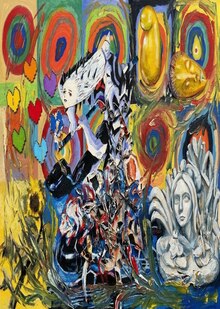
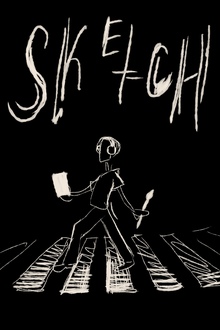
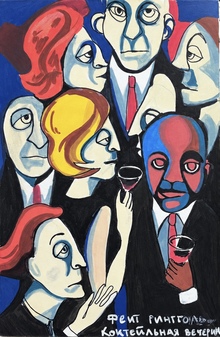
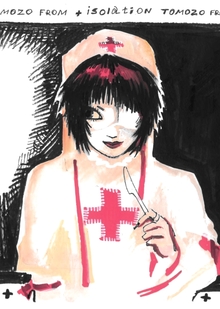
«Globular» и «Sleeping Muse 2»: округлые линии гармонируют с медитативной, спящей пластикой. Трагик и Безликий: встреча двух таинственных сущностей. Ревали и Чак: пернатые герои объединенные взрывным темпераментом. Гримм и Столас: театральные и изящные с выразительными вампирско-совиными силуэтами. «Дверь» и «Чёрный квадрат»: пространный диалог о границах искусства. «Смятение» и «Waschraum»: сюрреалистичный хаос. «Офелия» и «Амазонка Ипполита»: пластическое противопоставление двух граней женственности. «The Nature» и Души: пересечение уличной моды и пиксельной эстетики. «New resonator» и «Квадраты с концентрическими кругами»: переосмысление теории цвета и музыкальной абстракции. «Подсолнухи» и «Подсолнухи»: контраст между увяданием. «Плот2» и «Евангелион»: пересечение двух катостроф.
designschool.am — цифровая экосистема, объединяющая профессиональное портфолио для дизайнеров — студентов, выпускников и сотрудников программы «Коммуникационный дизайн» (совместный проект Российско-Армянского Университета и Школы дизайна НИУ ВШЭ), образовательную онлайн-платформу, площадку, агрегирующую международные онлайн-конкурсы в креативных индустриях и другие профессиональные инструменты.... Show more
We use cookies to improve the operation of the website and to enhance its usability. More detailed information on the use of cookies can be fo...
Show more
Press space bar to start a drag.
When dragging you can use the arrow keys to move the item around and escape to cancel.
Some screen readers may require you to be in focus mode or to use your pass through key
Press space bar to start a drag.
When dragging you can use the arrow keys to move the item around and escape to cancel.
Some screen readers may require you to be in focus mode or to use your pass through key
Press space bar to start a drag.
When dragging you can use the arrow keys to move the item around and escape to cancel.
Some screen readers may require you to be in focus mode or to use your pass through key
Press space bar to start a drag.
When dragging you can use the arrow keys to move the item around and escape to cancel.
Some screen readers may require you to be in focus mode or to use your pass through key
Press space bar to start a drag.
When dragging you can use the arrow keys to move the item around and escape to cancel.
Some screen readers may require you to be in focus mode or to use your pass through key
Press space bar to start a drag.
When dragging you can use the arrow keys to move the item around and escape to cancel.
Some screen readers may require you to be in focus mode or to use your pass through key
Press space bar to start a drag.
When dragging you can use the arrow keys to move the item around and escape to cancel.
Some screen readers may require you to be in focus mode or to use your pass through key
Press space bar to start a drag.
When dragging you can use the arrow keys to move the item around and escape to cancel.
Some screen readers may require you to be in focus mode or to use your pass through key