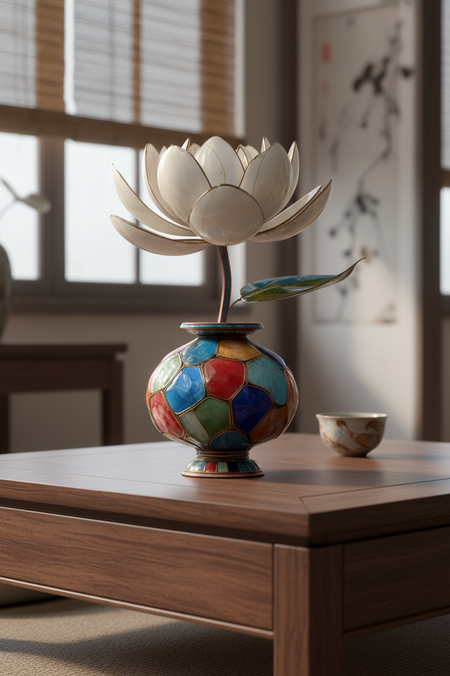
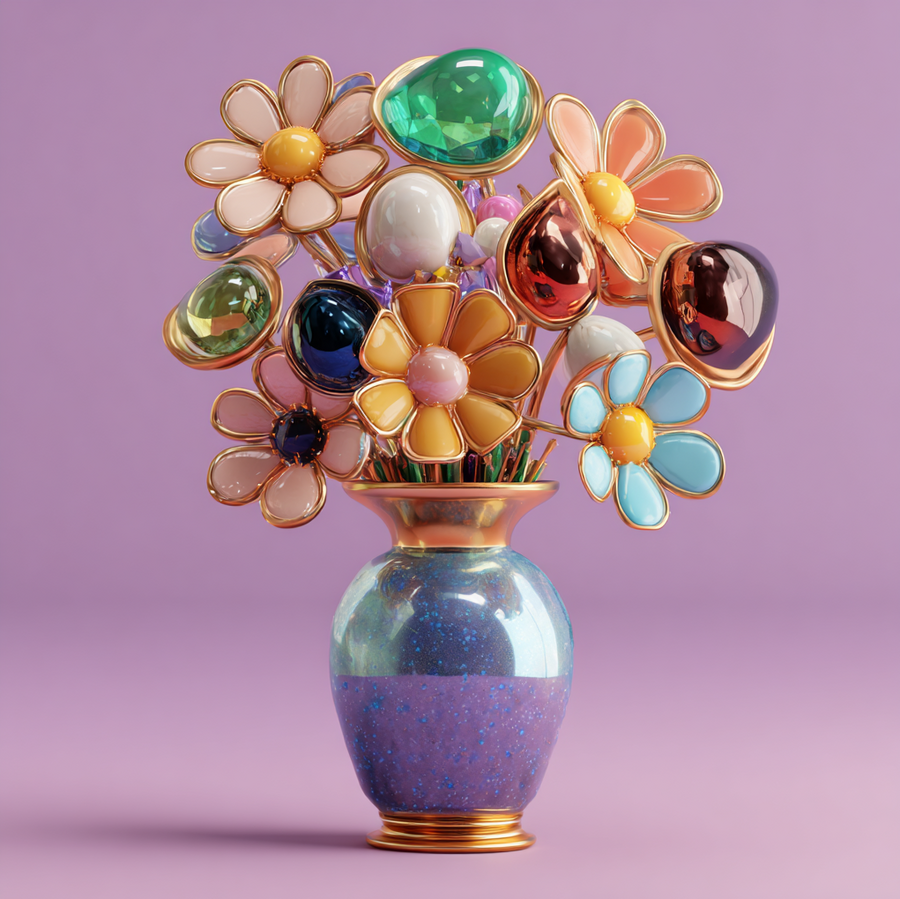
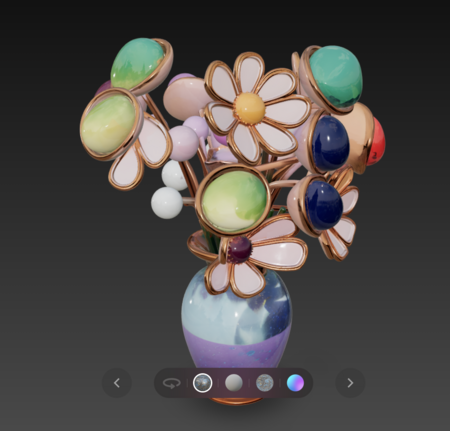
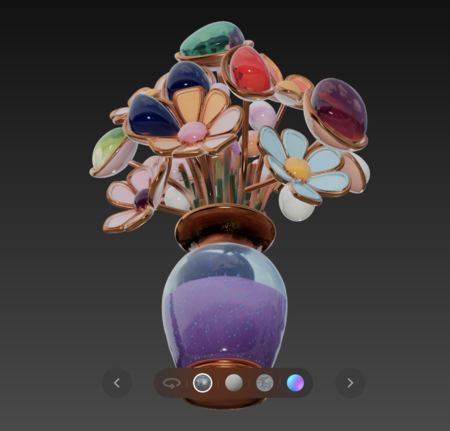
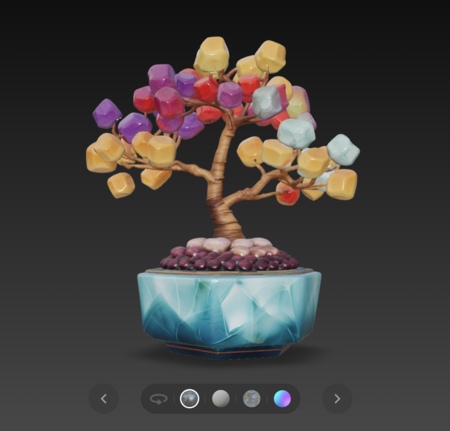
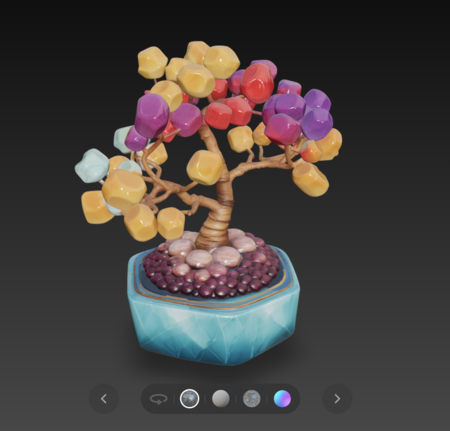
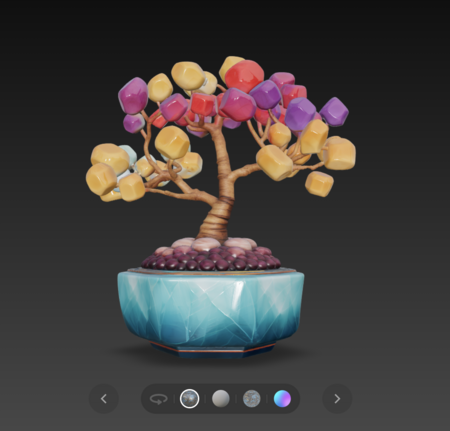
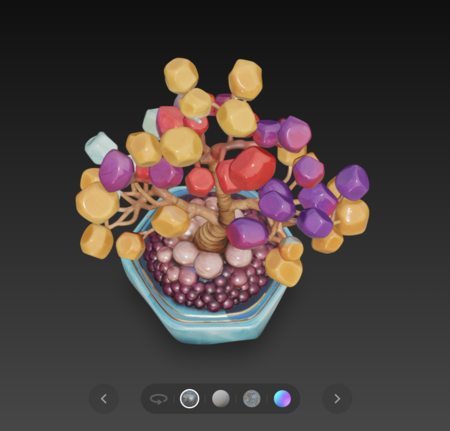
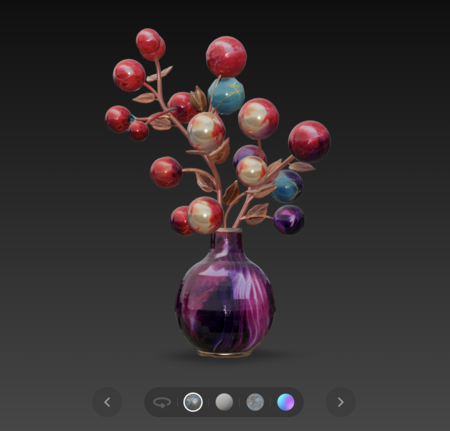
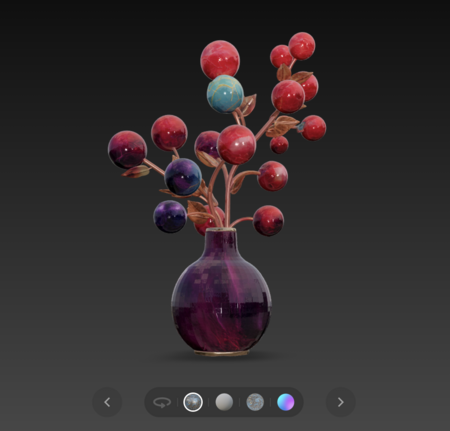
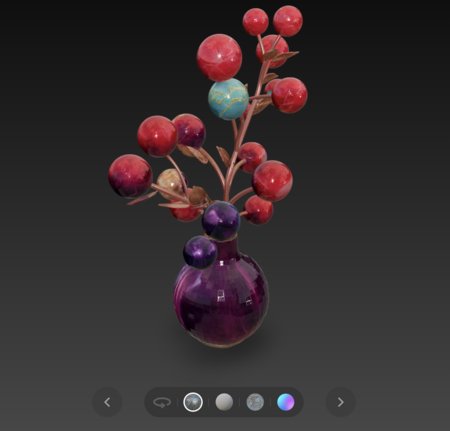
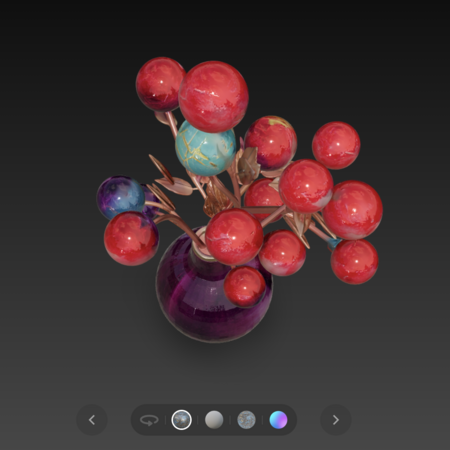
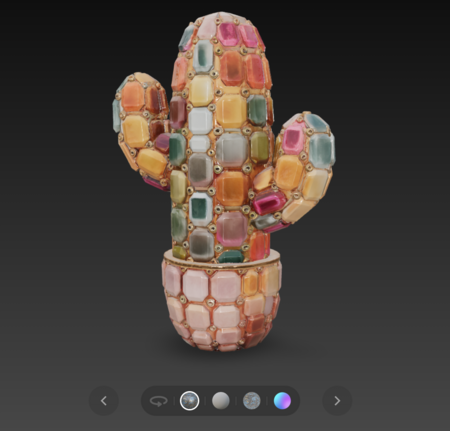
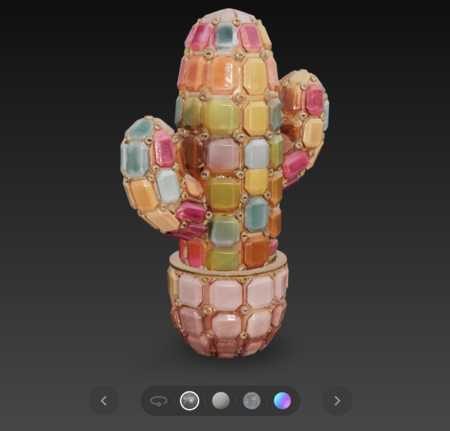
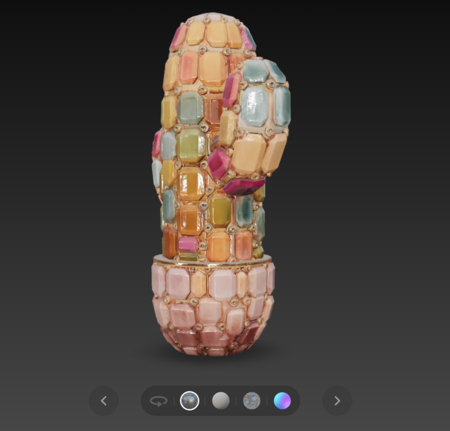
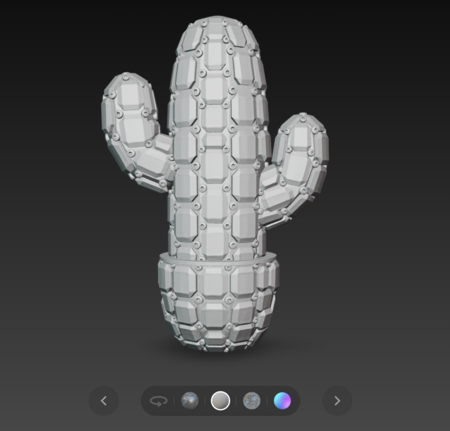
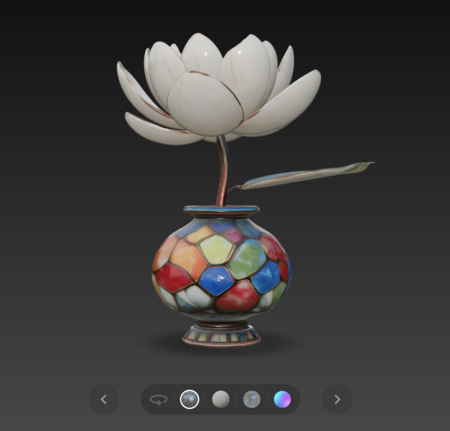
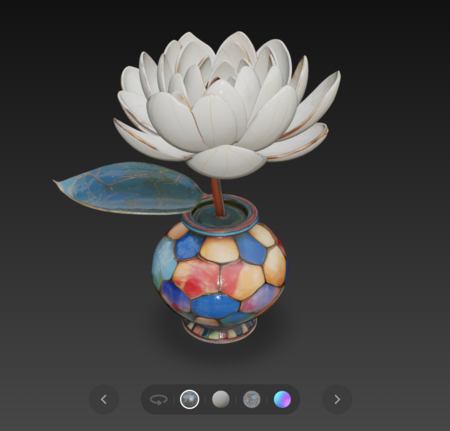
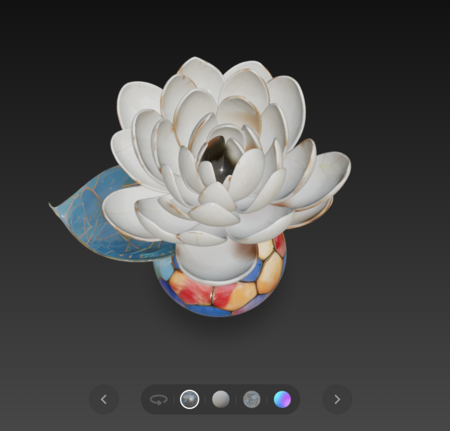
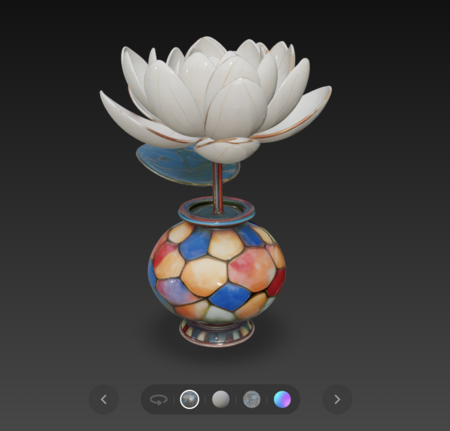
As part of a course on creating physical objects using AI, I developed a series of interior compositions designed as various potted plants. What distinguishes these from regular flora is that the statuettes are decorated to resemble metal and precious stones, and their bases are 3D-printed. This collection promotes the idea of beautiful, low-maintenance indoor plants that will perpetually delight their owners.
For concept development, I utilized the Midjourney neural network. To generate aesthetically pleasing renders, I used the prompt «a simple cartoony 3d model of a berry branch in a vase, made of precious stones,» substituting «berry branch» with cactus, lotus flower, and other plants from the series.
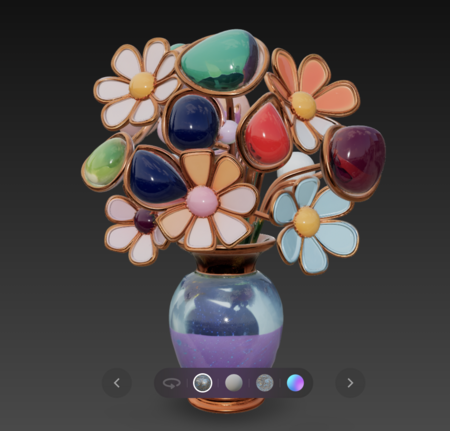
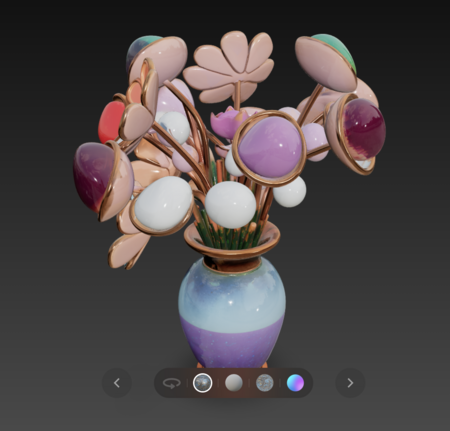
Next, to prepare for production, I uploaded the resulting sketches to the Hunyuan neural network, which quickly generated high-quality 3D models for me. Although they already looked perfect in terms of mapping visually, I ran each model through the Anycubic Photon Workshop slicer to eliminate any risk of mesh errors. No errors were found.
Алиса Полунина создала серию интерьерных композиций в виде растений в вазах, выполненных из металлов и разноцветных камней с помощью ИИ. Каждая композиция стилизована под драгоценные камни и металлы, а её база печатается на 3Д-принтере для долговечного декора без необходимости ухода.
Екатерина Васильева создала серию 3D-печатных аксессуаров для ПК, вдохновлённых следами ветра на разных материалах. Проект включает технические задания и описание процесса создания моделей с использованием нейросетей и онлайн-сервисов.
Элина Зобкова создала серию подвесок в стиле Hugo Kreit с использованием инструментов искусственного интеллекта. Проект включает 3D-модели, разработанные с учётом точного изготовления на 3D-принтере для передачи органических форм и деталей.
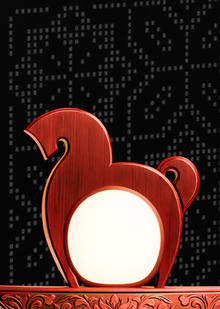
Мария Агафонова создала настольную лампу «Огоньконь» как изделие, сочетающее русский декоративный стиль и современные технологии беспроводного освещения. Проект включает деревянную фигурку лошадки с качающимся основанием и LED-светильник на батарейках, что делает изделие интерактивным и удобным для использования.
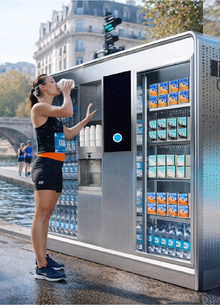
Анна Анисимова создала POS-материал для спортивного бренда NA+CA, сочетающий технологические и визуальные элементы для продвижения продукции. Проект включает вендинговый аппарат, кулер и встроенный планшет для тестирования датчиков гидратации без необходимости скачивания приложения.
designschool.am
designschool.am — цифровая экосистема, объединяющая профессиональное портфолио для дизайнеров — студентов, выпускников и сотрудников программы «Коммуникационный дизайн» (совместный проект Российско-Армянского Университета и Школы дизайна НИУ ВШЭ), образовательную онлайн-платформу, площадку, агрегирующую международные онлайн-конкурсы в креативных индустриях и другие профессиональные инструменты.... Show more
We use cookies to improve the operation of the website and to enhance its usability. More detailed information on the use of cookies can be fo...
Show more
Press space bar to start a drag.
When dragging you can use the arrow keys to move the item around and escape to cancel.
Some screen readers may require you to be in focus mode or to use your pass through key
Press space bar to start a drag.
When dragging you can use the arrow keys to move the item around and escape to cancel.
Some screen readers may require you to be in focus mode or to use your pass through key
Press space bar to start a drag.
When dragging you can use the arrow keys to move the item around and escape to cancel.
Some screen readers may require you to be in focus mode or to use your pass through key
Press space bar to start a drag.
When dragging you can use the arrow keys to move the item around and escape to cancel.
Some screen readers may require you to be in focus mode or to use your pass through key
Press space bar to start a drag.
When dragging you can use the arrow keys to move the item around and escape to cancel.
Some screen readers may require you to be in focus mode or to use your pass through key
Press space bar to start a drag.
When dragging you can use the arrow keys to move the item around and escape to cancel.
Some screen readers may require you to be in focus mode or to use your pass through key
Press space bar to start a drag.
When dragging you can use the arrow keys to move the item around and escape to cancel.
Some screen readers may require you to be in focus mode or to use your pass through key
Press space bar to start a drag.
When dragging you can use the arrow keys to move the item around and escape to cancel.
Some screen readers may require you to be in focus mode or to use your pass through key
Press space bar to start a drag.
When dragging you can use the arrow keys to move the item around and escape to cancel.
Some screen readers may require you to be in focus mode or to use your pass through key
Press space bar to start a drag.
When dragging you can use the arrow keys to move the item around and escape to cancel.
Some screen readers may require you to be in focus mode or to use your pass through key